Know who owes you.
Know what you can spend.
Send invoices, track what is paid, route vendor bills and keep a budget by team and value stream.
// Cash, burn, budget and invoices in one place.
Every account and every movement, in one ledger.
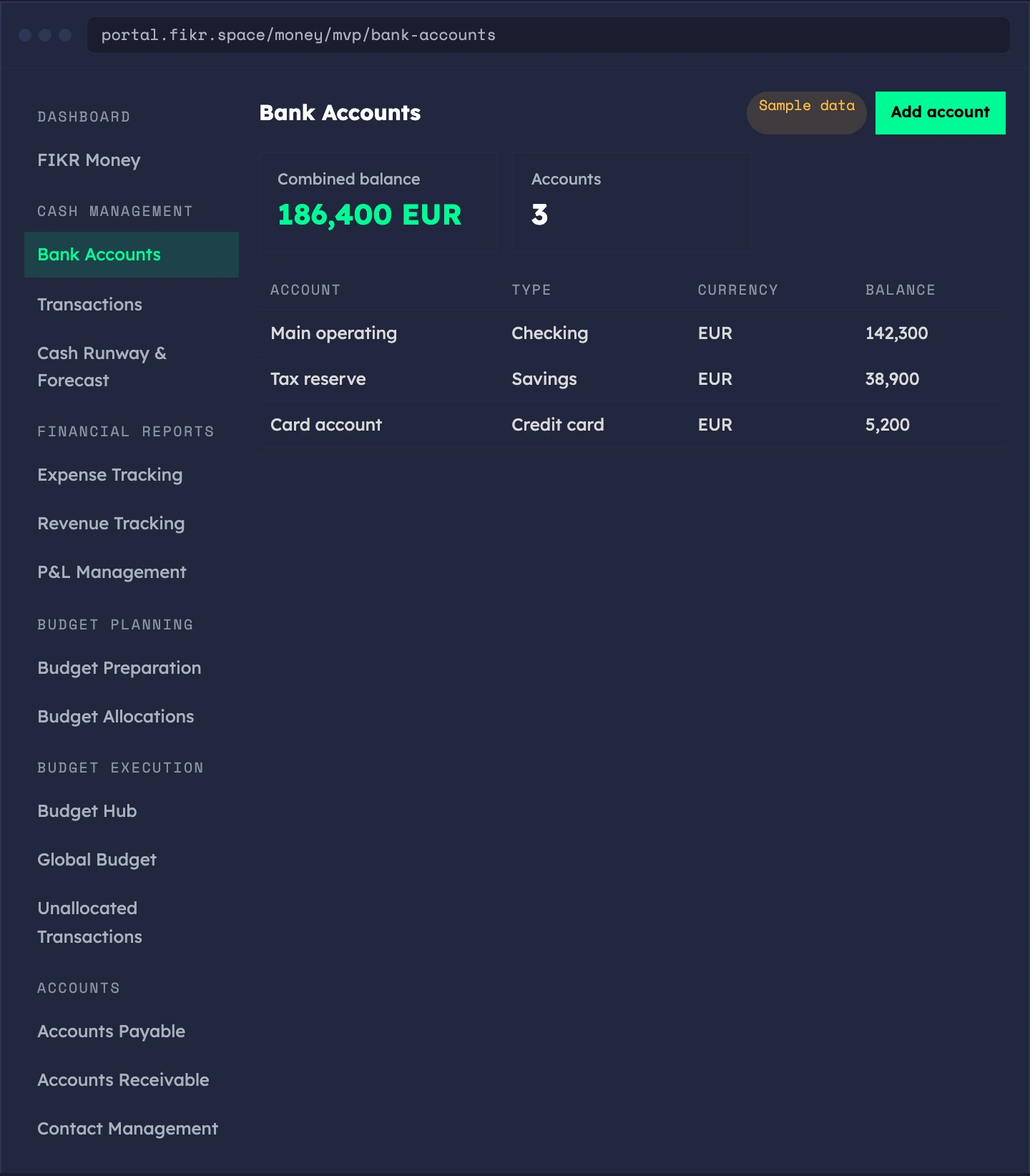
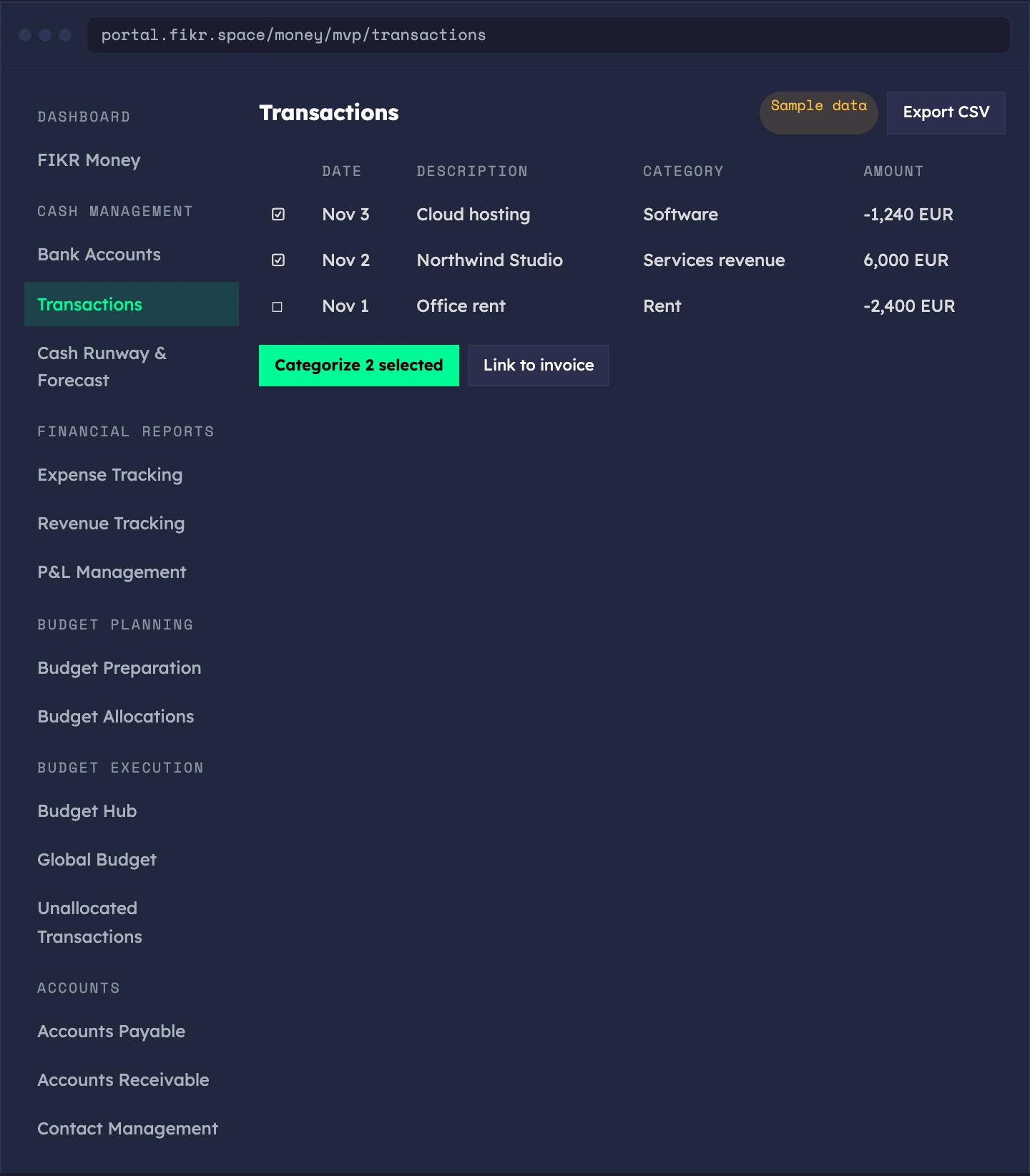
Add your bank accounts, see the combined balance, and keep a ledger of every transaction. Bank balances and transactions are entered or imported by you. There is no live bank feed yet.
- Bank accounts — add, edit and remove accounts, with type and currency
- Combined balance — all your accounts added up on one screen
- Transaction ledger — filter, sort and page through every movement
- Bulk actions and CSV export — work on many rows at once, take the data out
- Link and categorize — tie a transaction to an invoice and to a category
Sample data. The screens show a demo workspace.
How long the money lasts, and what changes it.
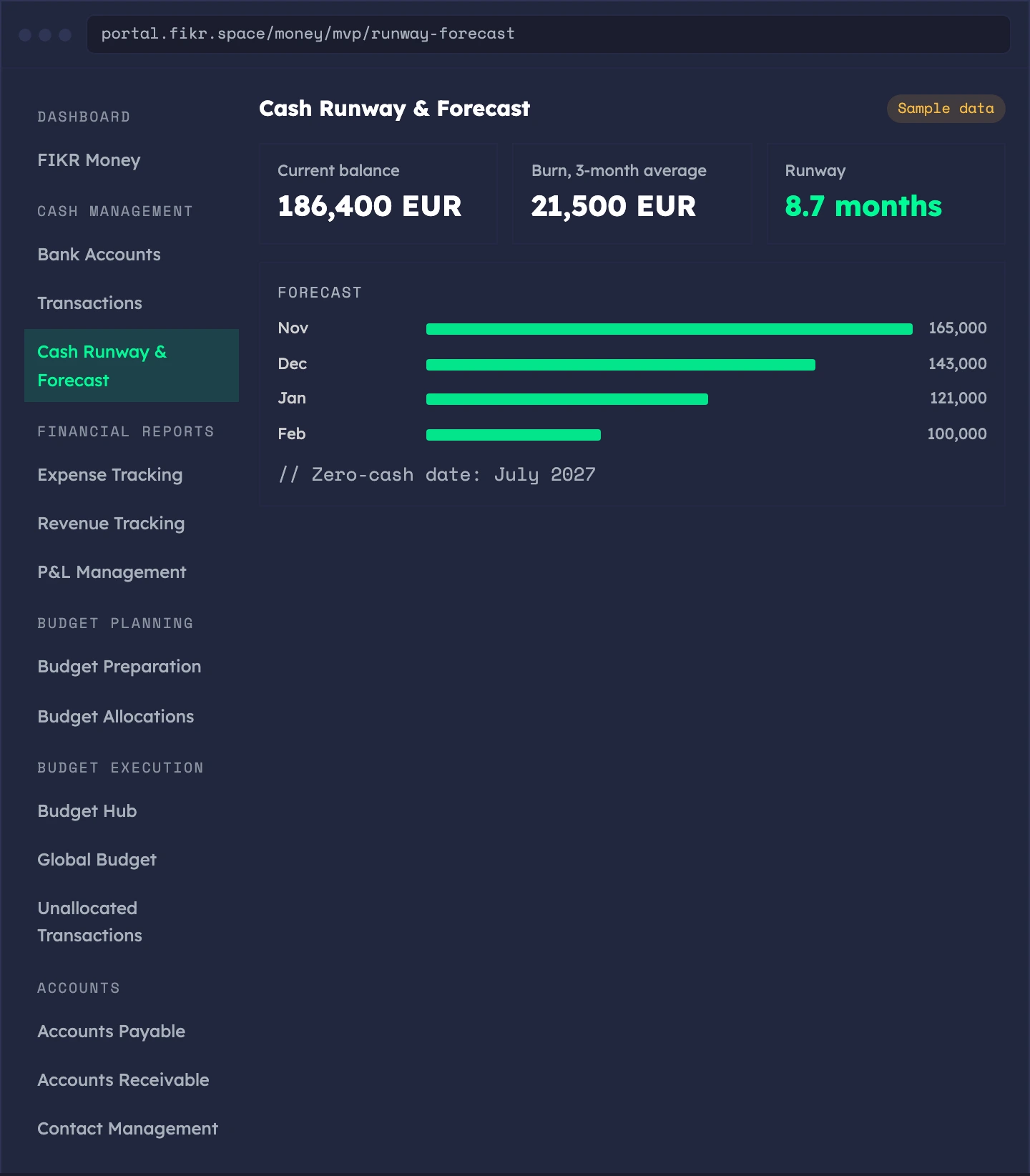
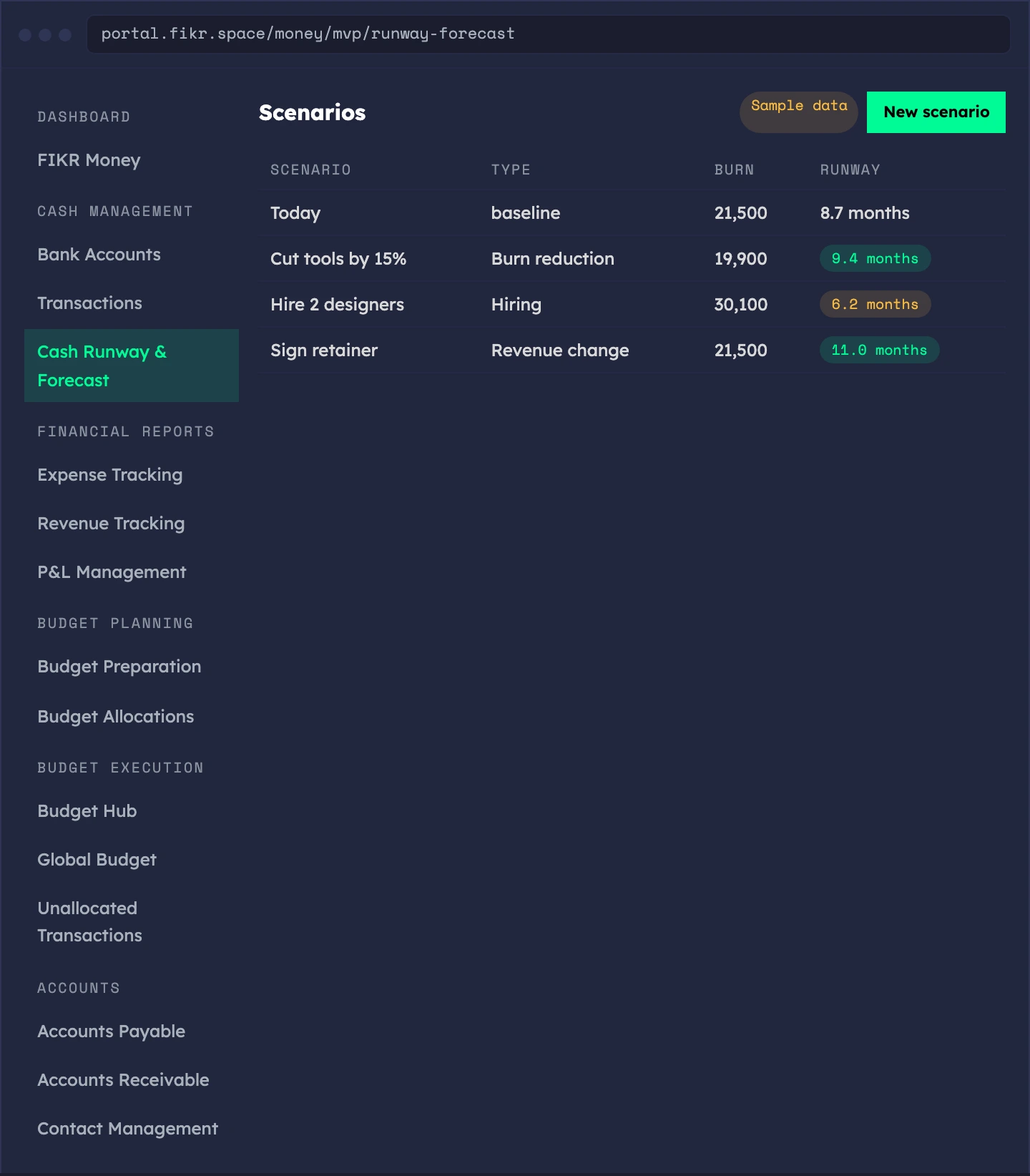
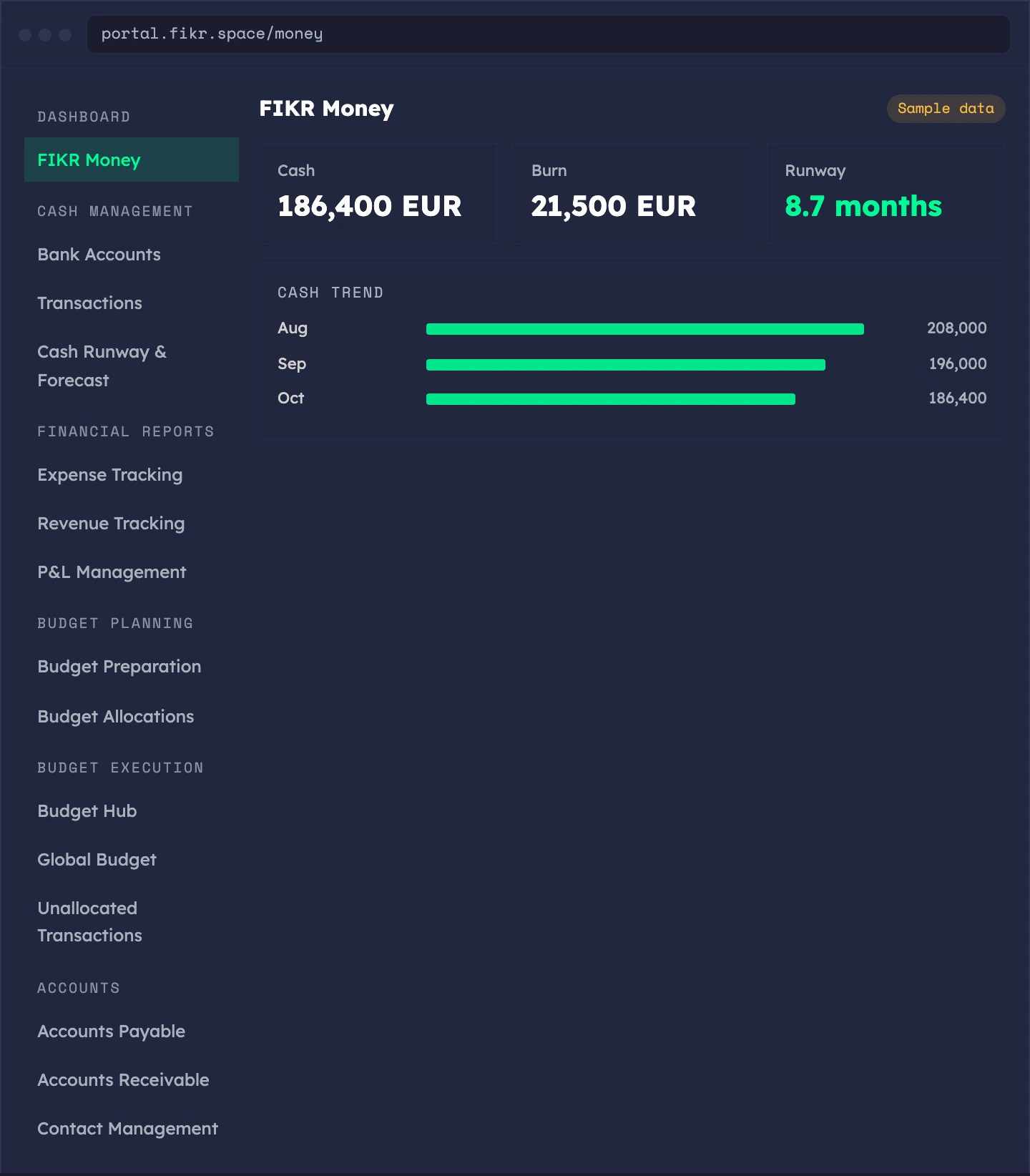
Your balance, your burn and your runway on one page, with a month-by-month forecast. Try a scenario before you commit to it.
- Runway in months — current balance divided by burn
- Burn rate — rolling 3-month and 6-month averages
- Zero-cash date — the day the projection reaches zero
- Month-by-month forecast — a cash projection built from your ledger
- Scenarios — model burn reduction, hiring or revenue change and compare them side by side
Sample data. The screens show a demo workspace.
Where it came from, where it went.
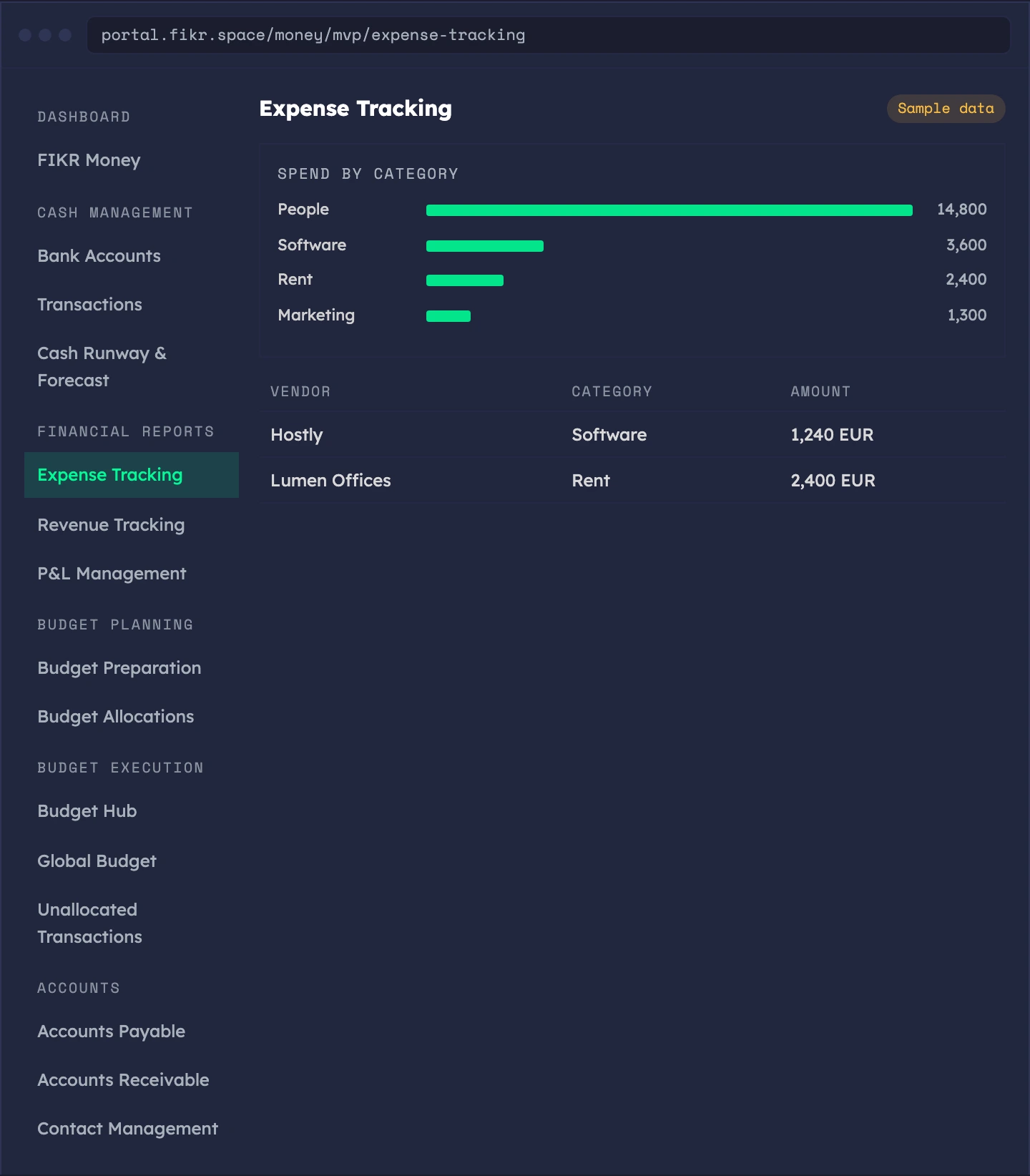
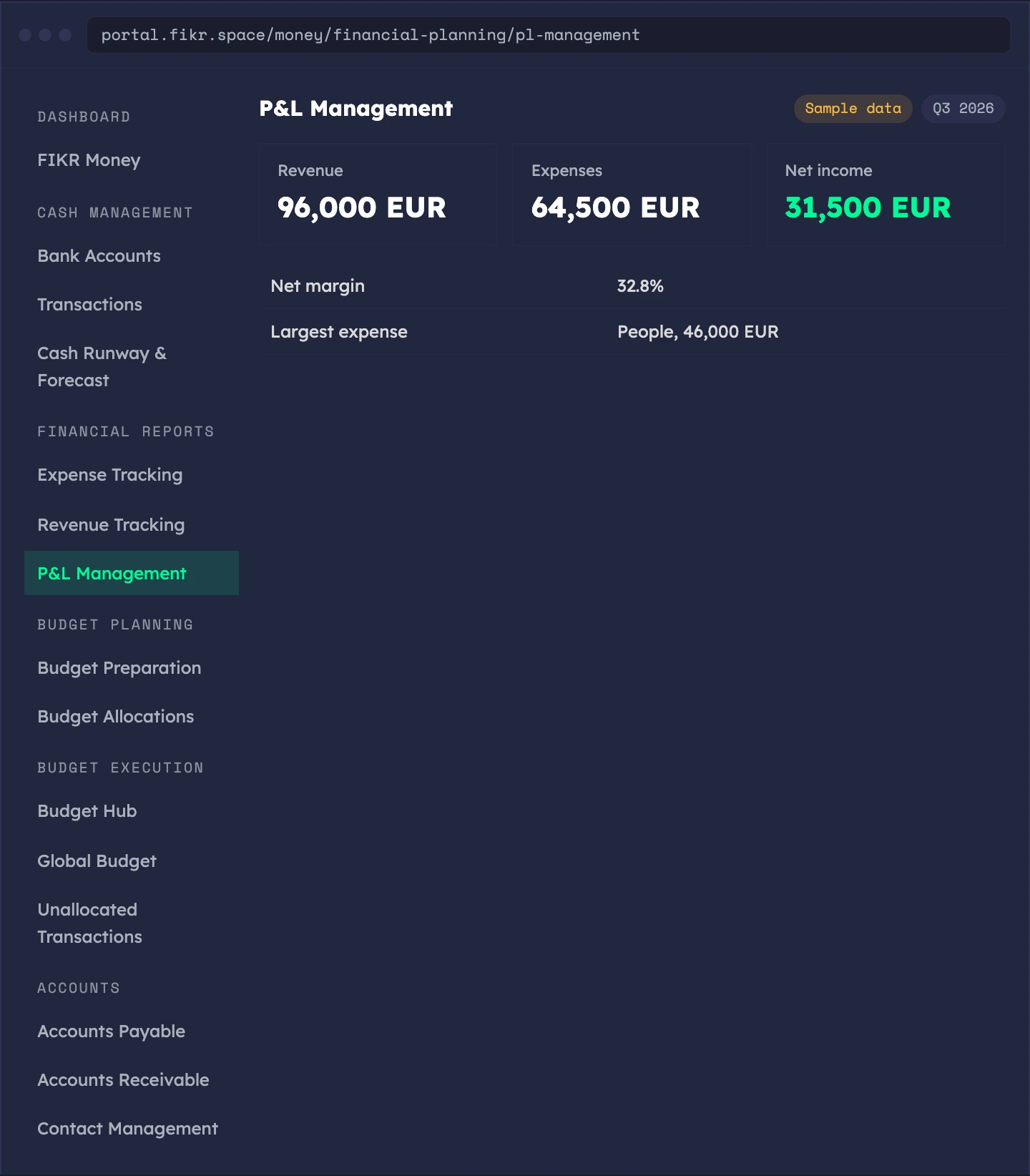
Categorize spend and income against a category tree, then read the result as a profit and loss statement.
- Expense tracking — spend per category, linked to vendors
- Revenue tracking — income by category, with your top customers
- Parent and child categories — a tree you set up, not a flat list
- P&L — pick a period and see revenue, expenses, net income and margins
- Financial reports — one reporting page for the numbers above
Sample data. The screens show a demo workspace.
A budget by team, stream and department.
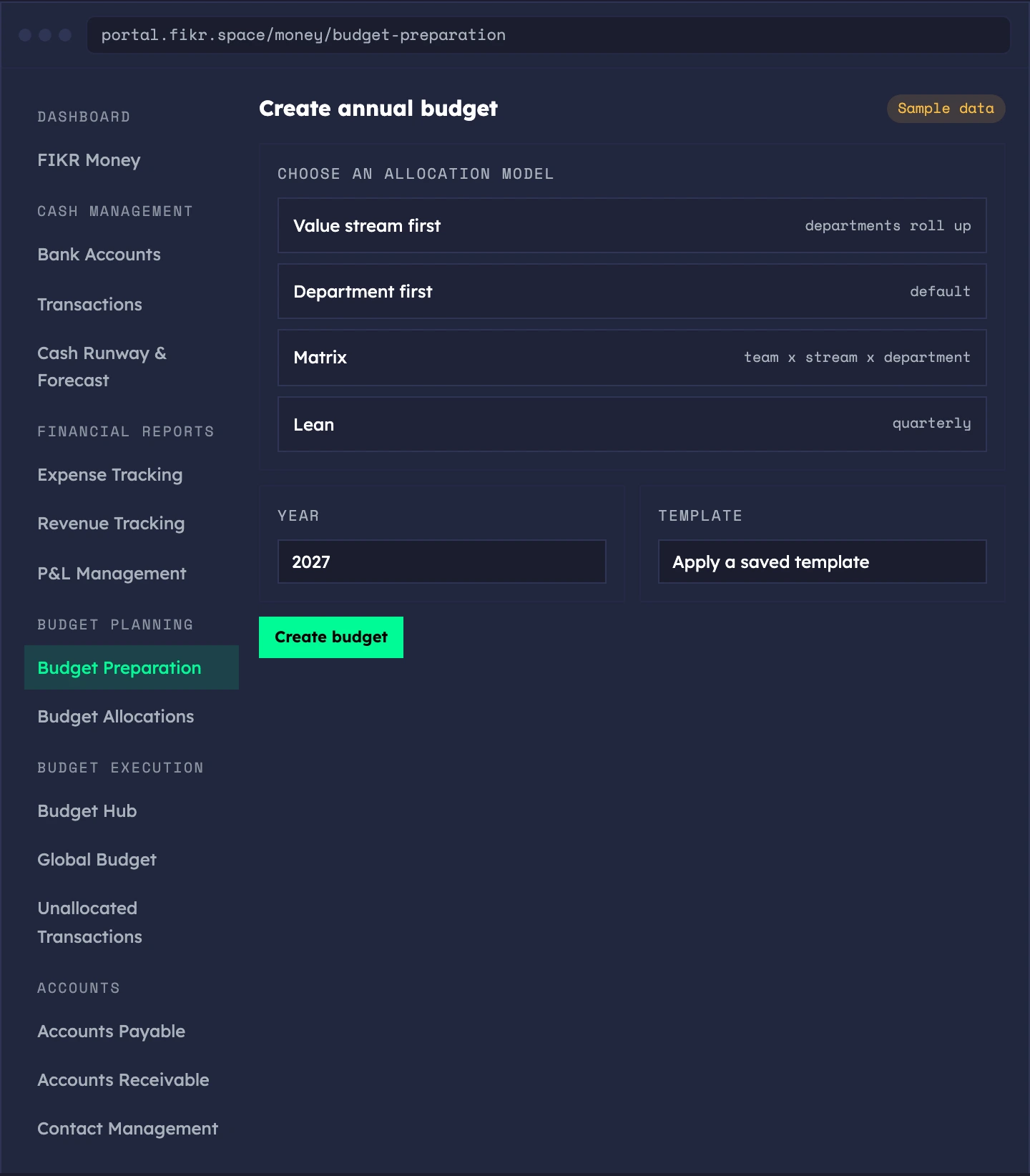
Prepare the annual budget and allocate it. Pick the model that fits the size of your company, from a full matrix to a quarterly lean budget.
- Four allocation models — value stream first, department first, matrix, or lean
- Lean budget — a quarterly budget that funds outcomes directly, built in minutes
- Budget templates — save a budget as a template and apply it to a new year
- Budget versions — every change is kept as a version
- Budget allocations — see utilization per team, value stream and department
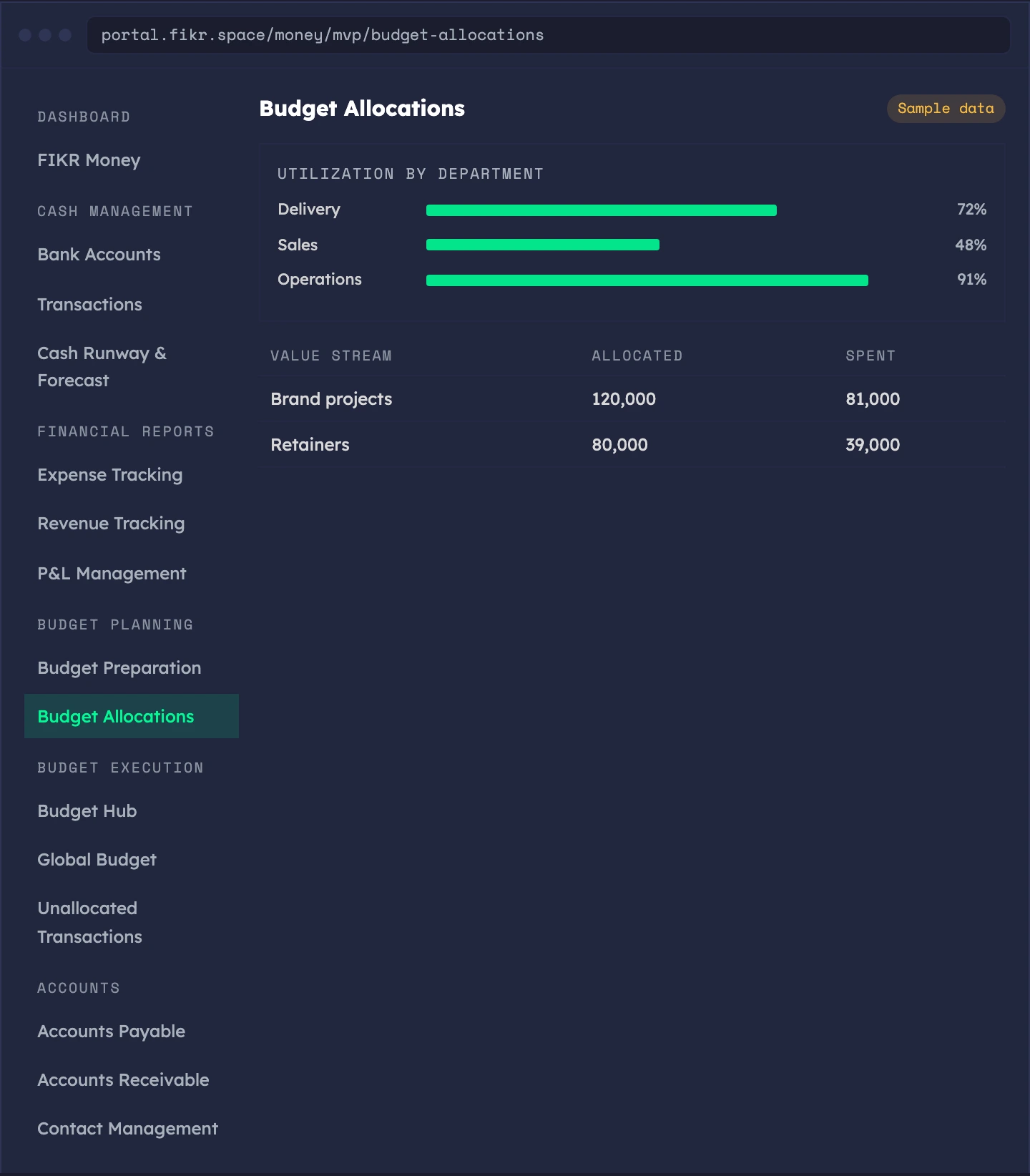
Sample data. The screens show a demo workspace.
Plan against what actually happened.
Follow the budget through the year. See how each department is doing, compare plan to actuals, and assign the spend nobody has claimed yet.
- Budget Hub — budget status, a health summary and utilization per department
- Global Budget — the whole company in one rollup
- Variance analysis — budget against actuals across dimensions
- Unallocated transactions — an inbox of spend not yet tied to a budget line
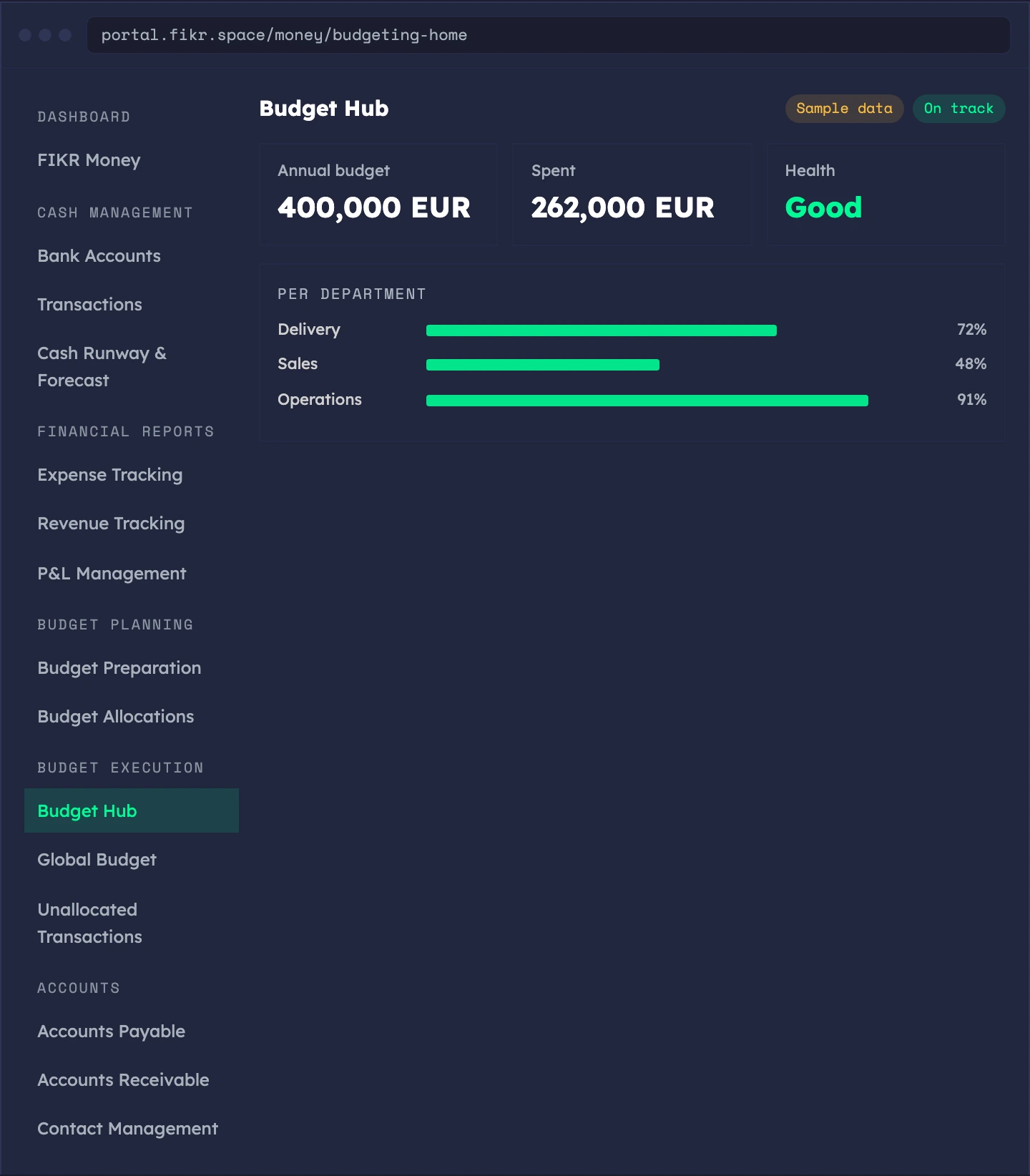
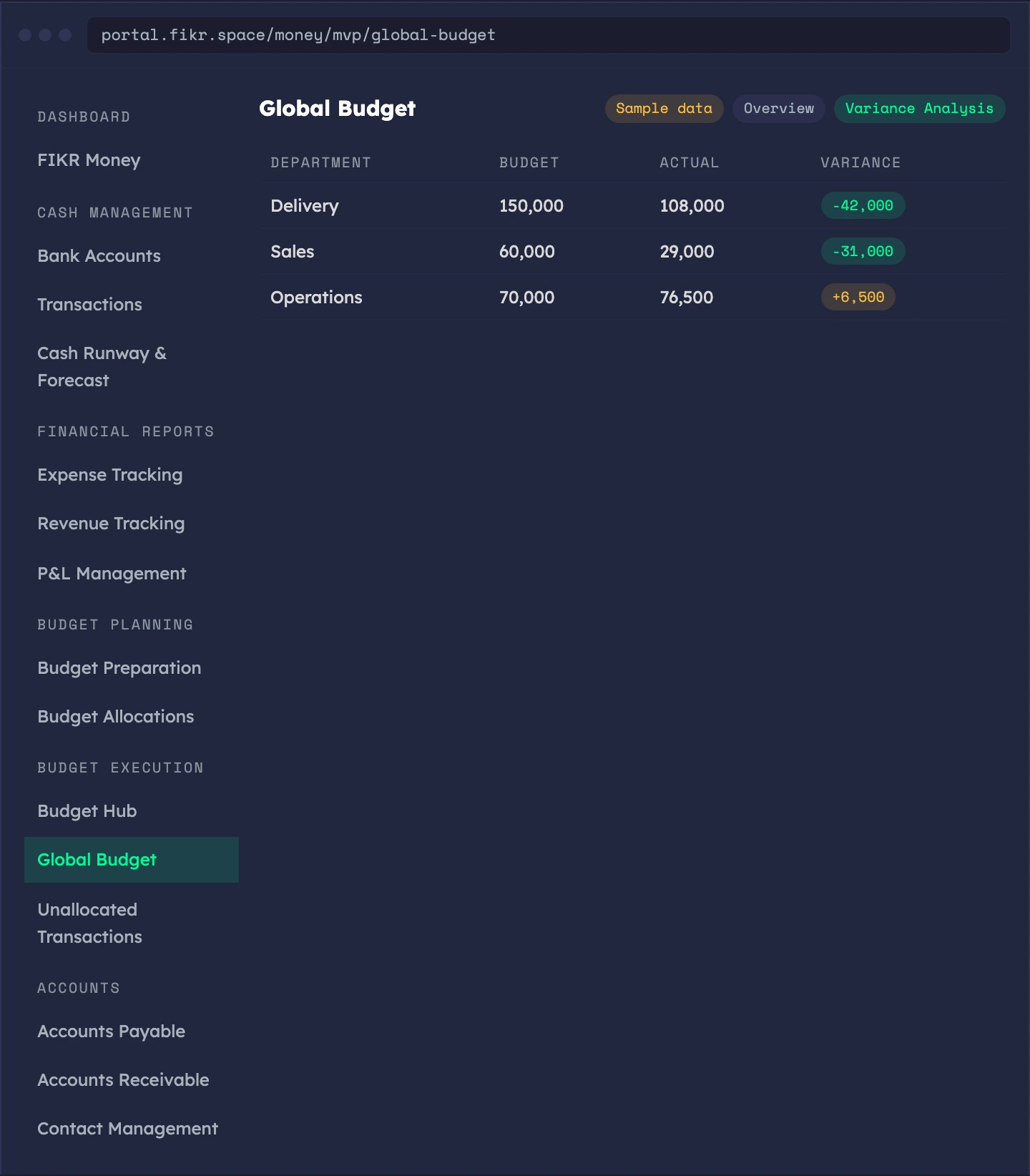
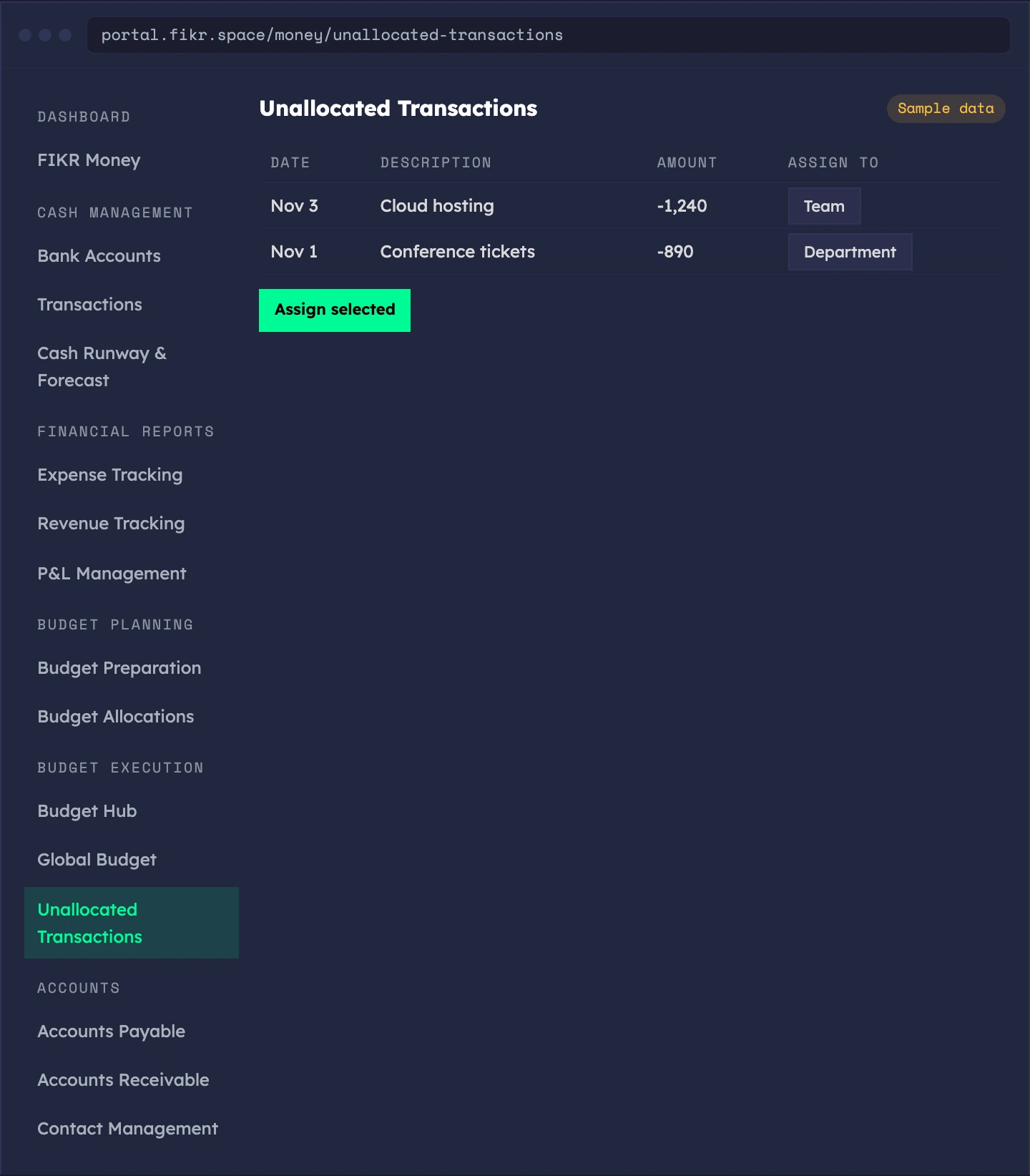
Sample data. The screens show a demo workspace.
Who owes you, and who you owe.
Customer invoices and vendor bills live in one place. Create invoices with line items, record payments, and route bills through approval. Invoices are not yet legal tax invoices for Portugal, Angola or Brazil.
- Accounts receivable — invoices with line items, from draft to sent, partly paid and paid
- Record payments — safe against double entry and overpayment
- Accounts payable — vendor bills with categories, approval and automation rules
- Recurring — schedule bills that repeat
- Payment history — for every customer and vendor
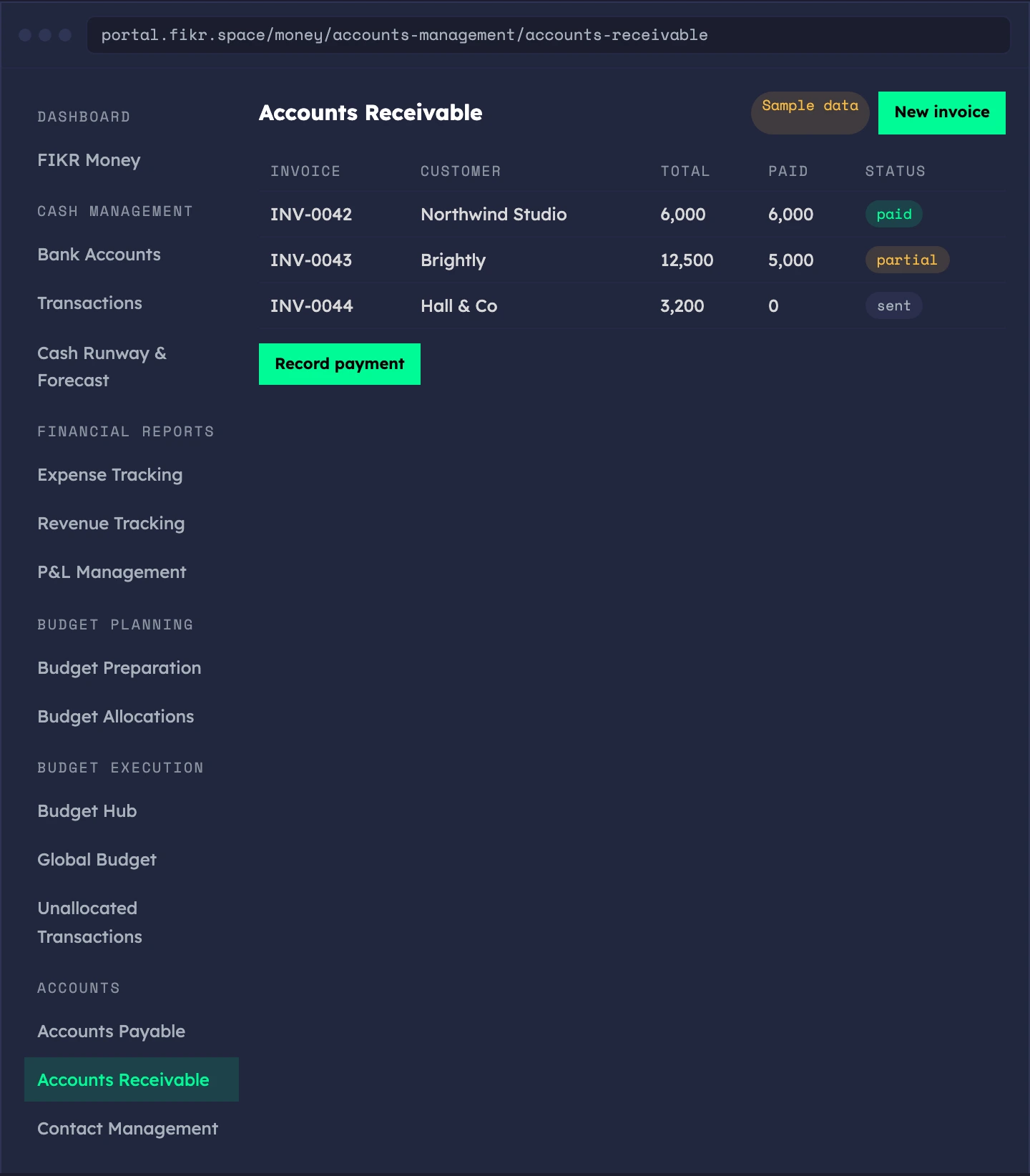
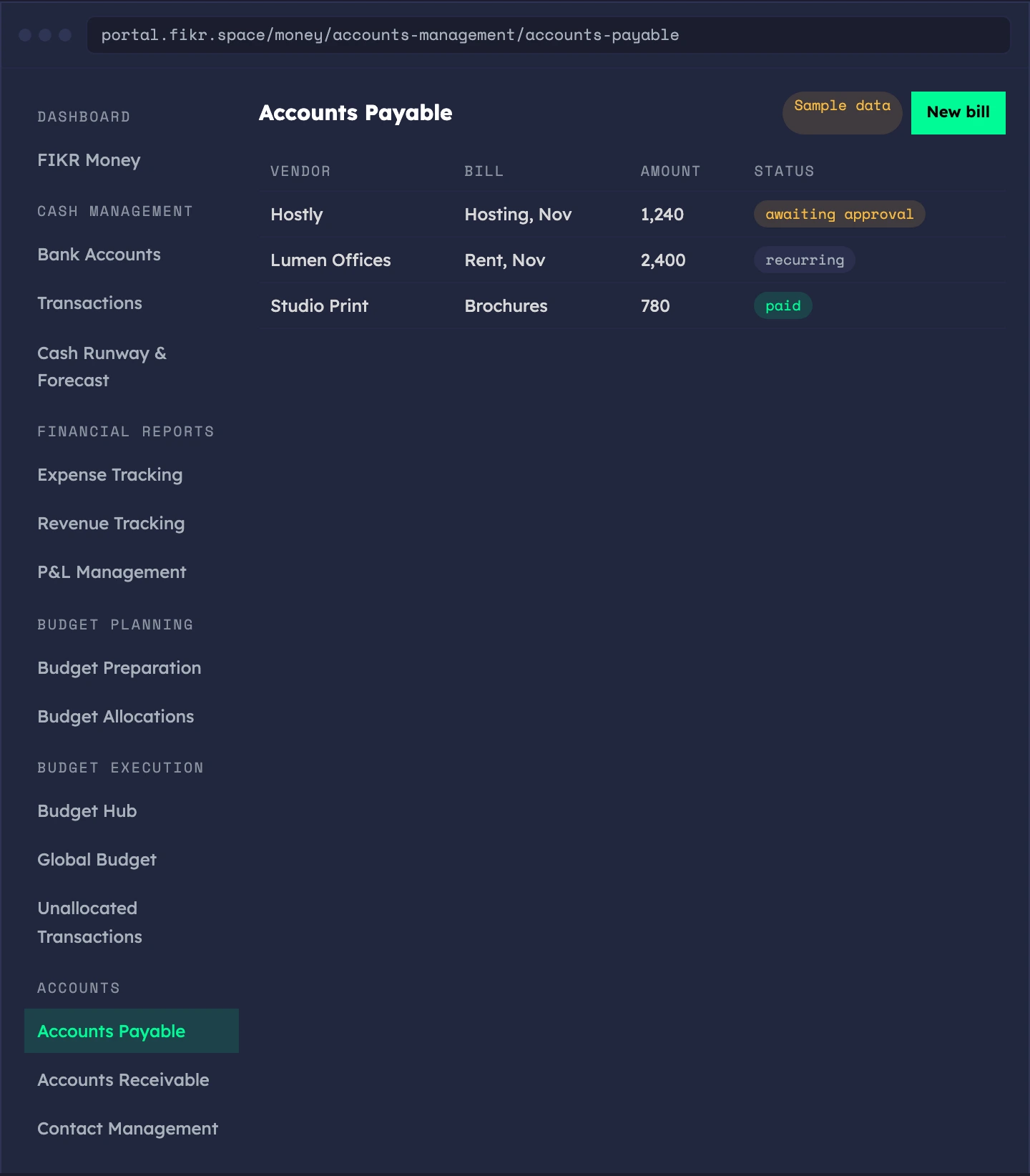
Sample data. The screens show a demo workspace.
The people you bill, and the people who bill you.
A directory of customers and vendors with payment terms, contracts and payment history, private to your company.
- Customers and vendors — profiles with payment terms
- Contracts — keep them next to the party they belong to
- Payment history — what was paid and when
- Your data only — visible to your company, not shared with other workspaces
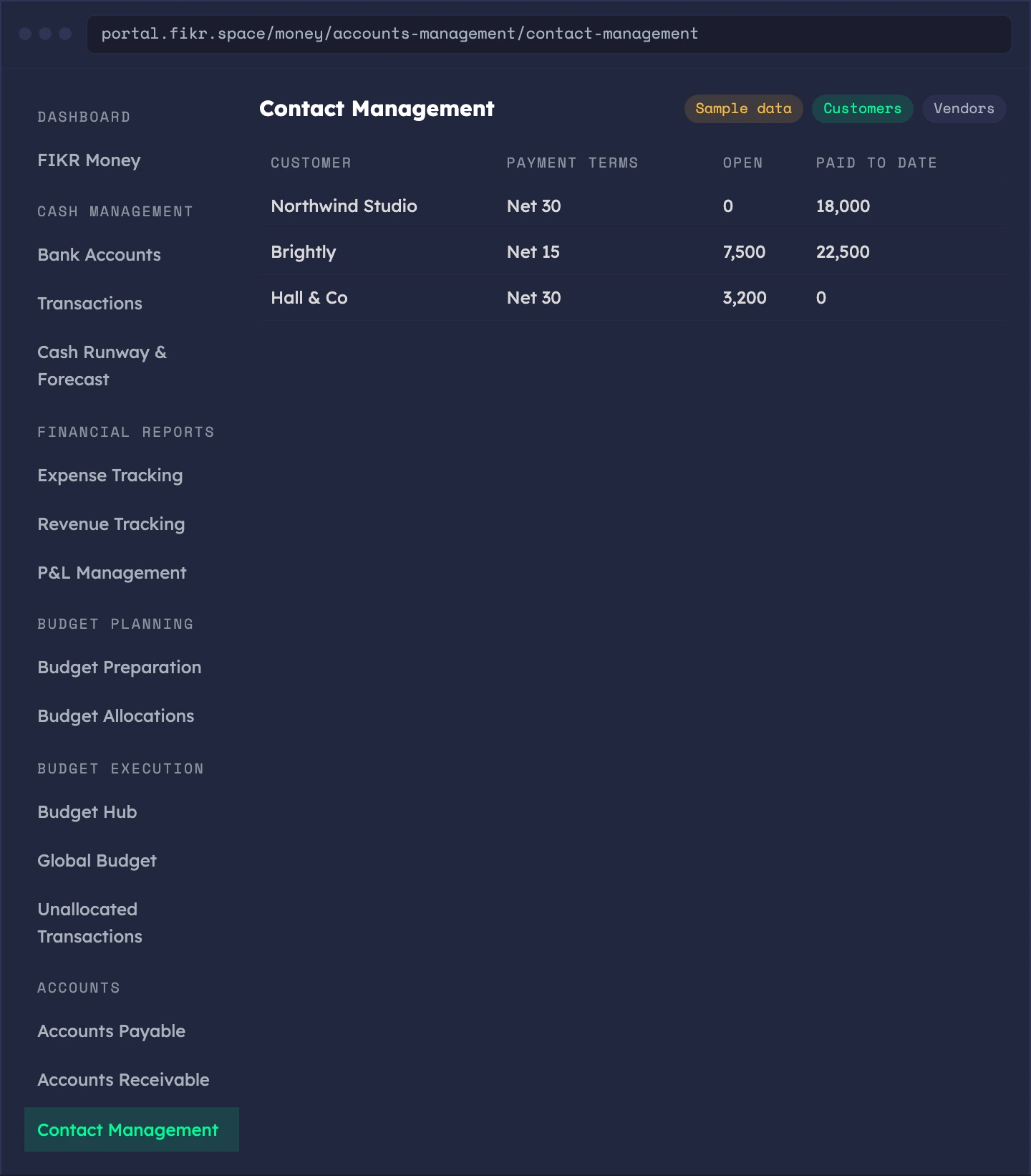
Sample data. The screens show a demo workspace.
The finance tools still being built.
A set of deeper tools sits behind staff access while we finish them. They are not open to customers yet.
- Balance sheet and treasury — balance sheet tracking and treasury operations
- Financial modeling and scenario planning — model the company forward
- Unit economics and predictive analytics — read the business per unit and forward
- Financial benchmarking — compare against others
- Budget approvals and budget scenarios — sign-off and what-if on budgets
- Tax management and audit and compliance — records for tax and audit
Join the waiting list and we tell you the day this opens on your workspace.
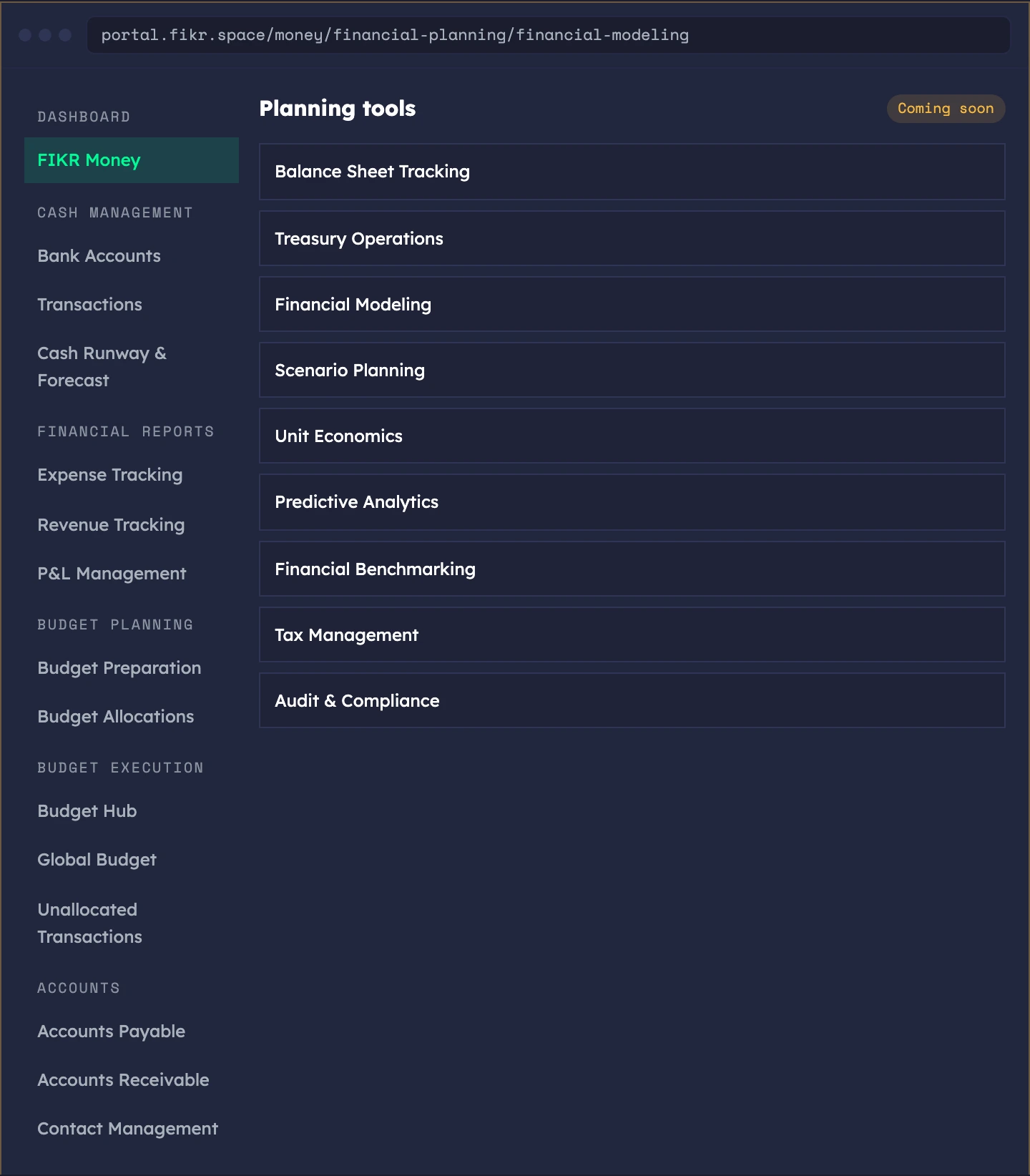
Sample data. The screens show a demo workspace.
Enter it once. Read it everywhere.
Accounts and transactions feed the runway, the reports and the budget. Invoices and bills feed the ledger.
Add accounts
Record movements
Categorize
Read
What service companies use it for.
The product is the same for everyone. What changes is the job you hire it for.
Invoice and collect
Control vendor bills
Budget by stream
Questions? Answers.
What is live and what is coming soon?
Does it connect to my bank?
Are the invoices legal tax invoices?
Is it for startups or service companies?
Can my customers pay me through FIKR Money?
Know the number.
Then decide.
FIKR Money is part of every plan. Join the waiting list and we open your workspace as soon as your place comes up.
Join the Waiting List →You built the content engine. Now productize the rest.
FIKR Content is one piece. The full platform runs your entire service business — strategy, sales, diagnostics, time, invoicing, courses, partners — all connected.
FIKR OS
Strategy & Delivery
FIKR Hub
CRM & Sales
FIKR Score
Branded Diagnostics
FIKR Tracking
Time & 4D Mix
FIKR Money
Invoicing & Cash
FIKR People
HR & Capacity
FIKR Academy
Courses & Certification
FIKR Affiliate
Run Your Affiliate Program