Know what you own.
Know what you give away.
The cap table your startup can read: every holder and share class, grants and vesting, funding rounds, and what each round or exit does to ownership.
// Cap table, vesting, funding rounds and exit math in one workspace.
Every holder, every share class.
Founders, employees, investors and advisors in one cap table, with the shares each one holds, what is vested and what is fully diluted.
- Stakeholders — add founders, employees, investors and advisors; removing one deactivates them and keeps the history
- Share classes — common, preferred, options and warrants, each with its own limit and terms
- SAFEs and notes — record each SAFE and convertible note with its real terms
- Import and export — bulk import from CSV; export to CSV or Excel
- Activity log — who changed what, and when
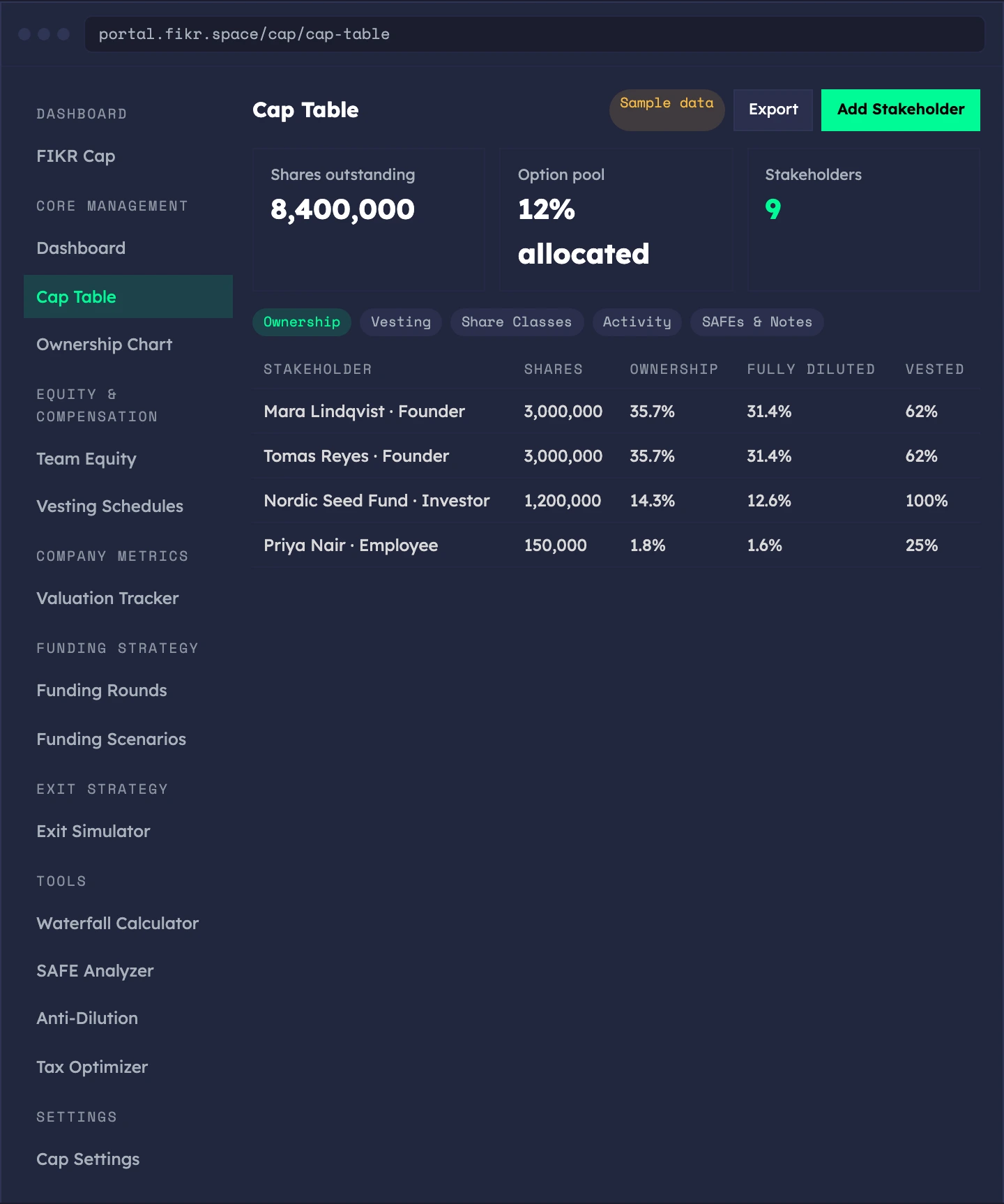
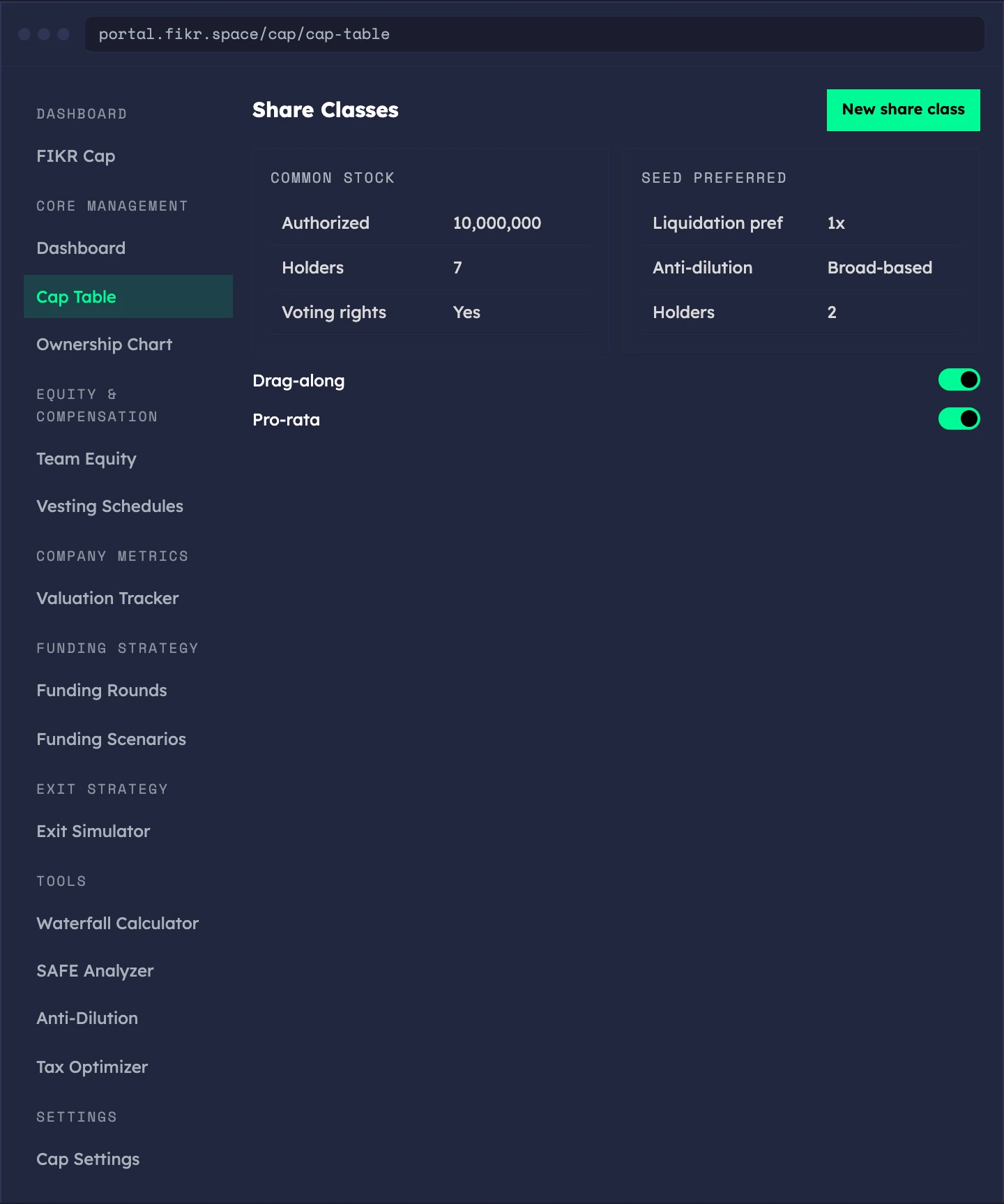
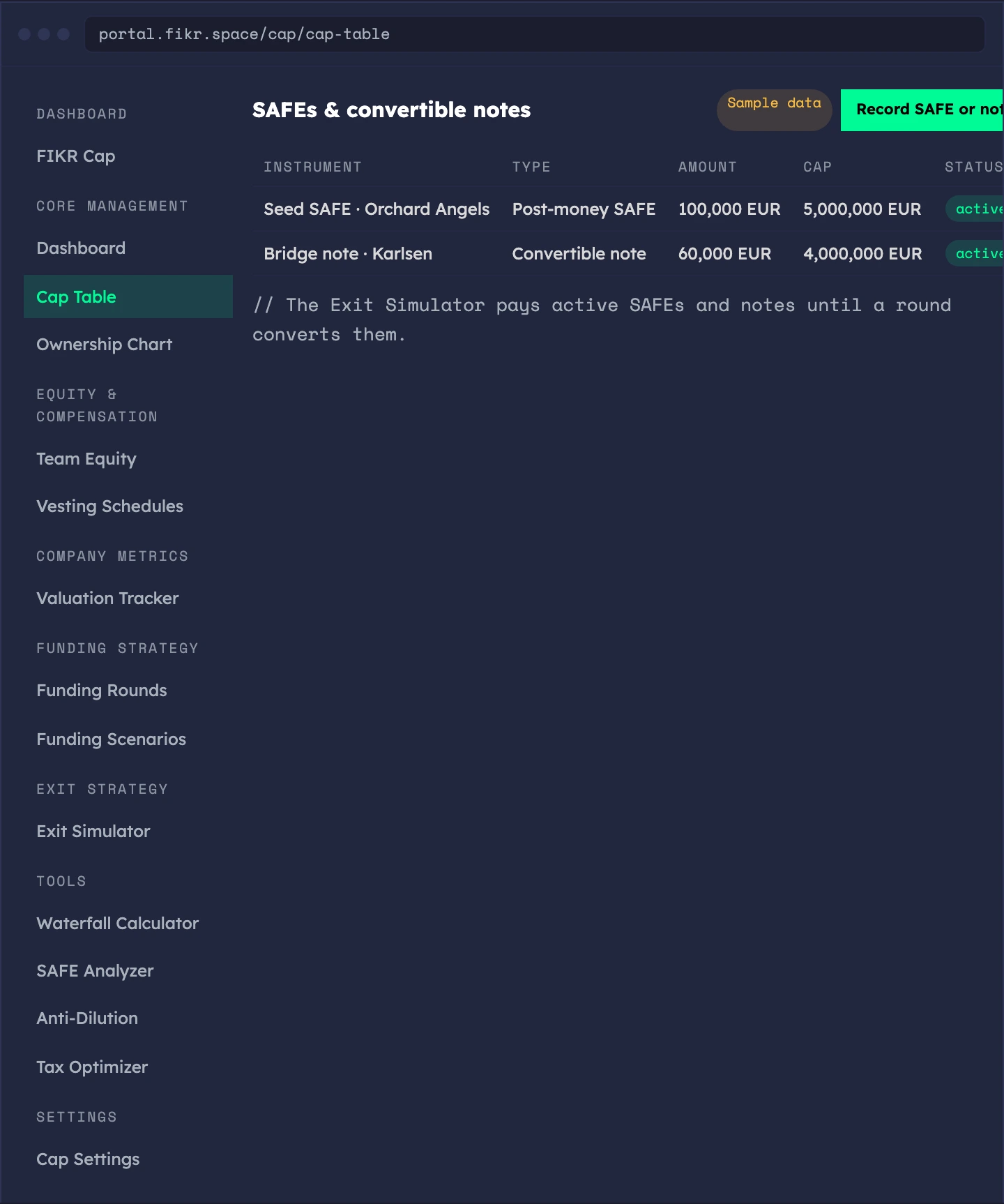
Sample data. The screens show a demo workspace.
See who owns what, round after round.
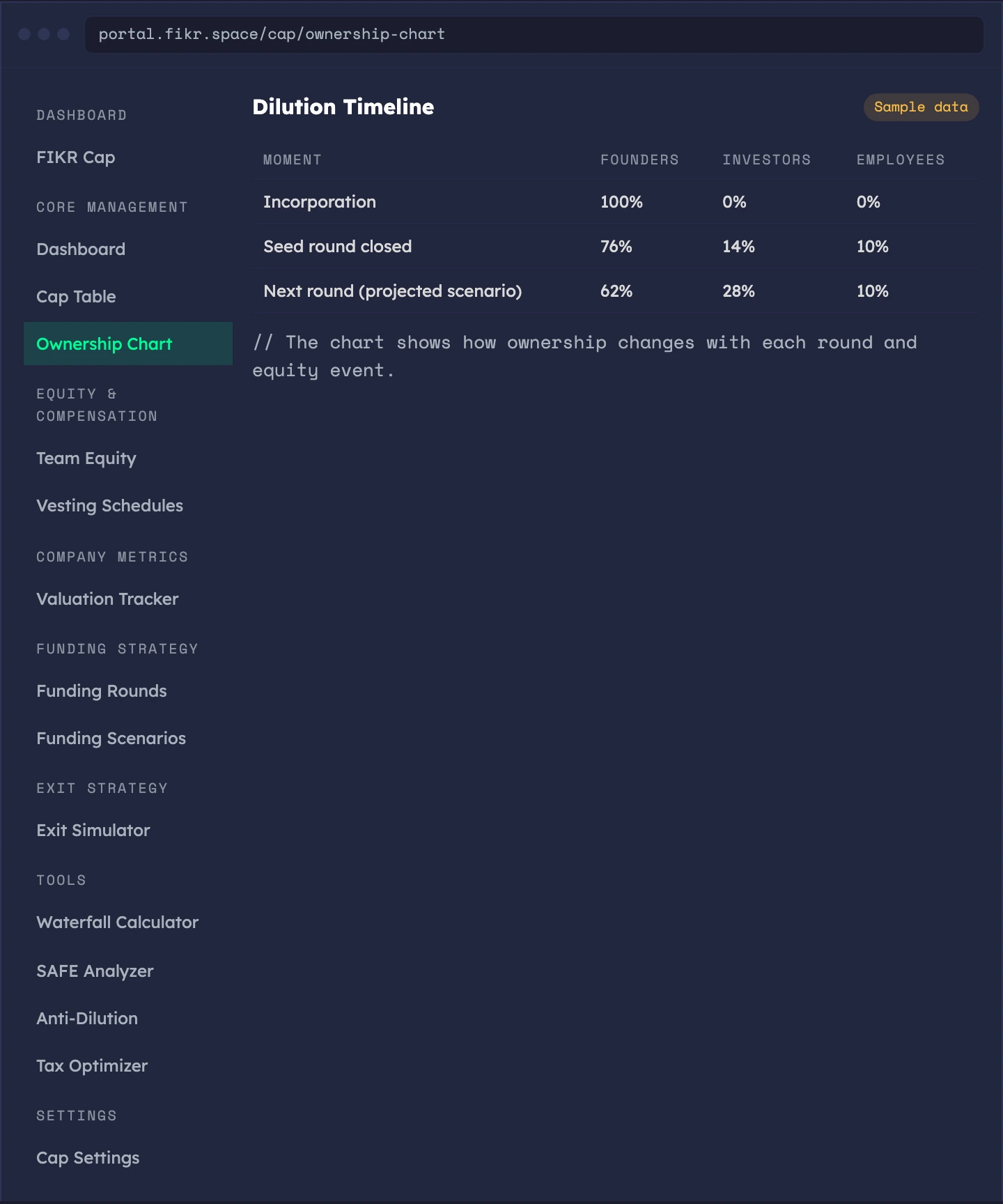
An interactive chart of ownership by stakeholder type, and a timeline of how each round and grant changed it.
- Ownership chart — founders, employees, investors, advisors and others
- Filter by type — look at one group at a time
- Dilution timeline — ownership after each round and equity event
- Hide sensitive data — blur figures before you share your screen
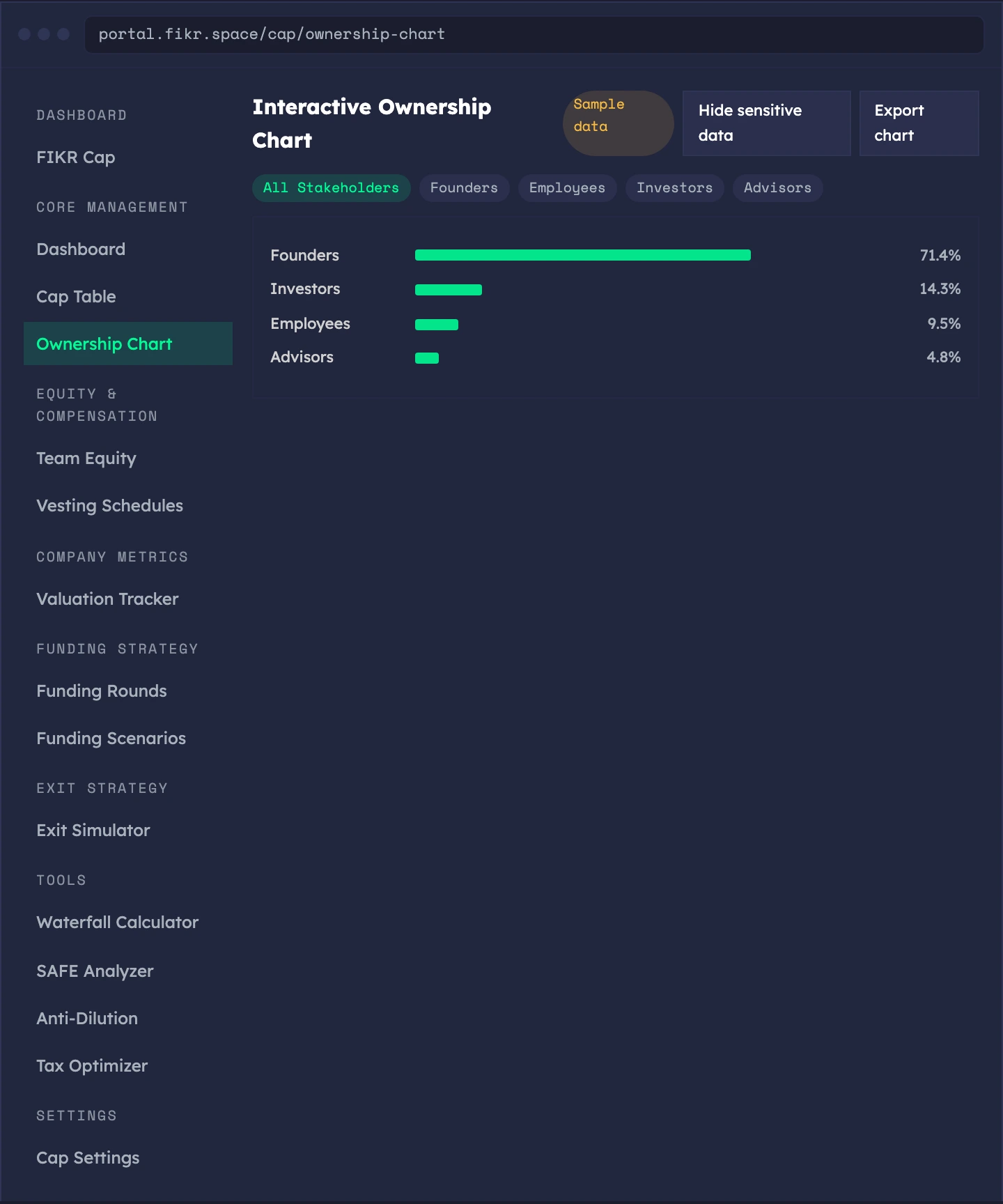
Sample data. The screens show a demo workspace.
Grants and vesting, kept in one ledger.
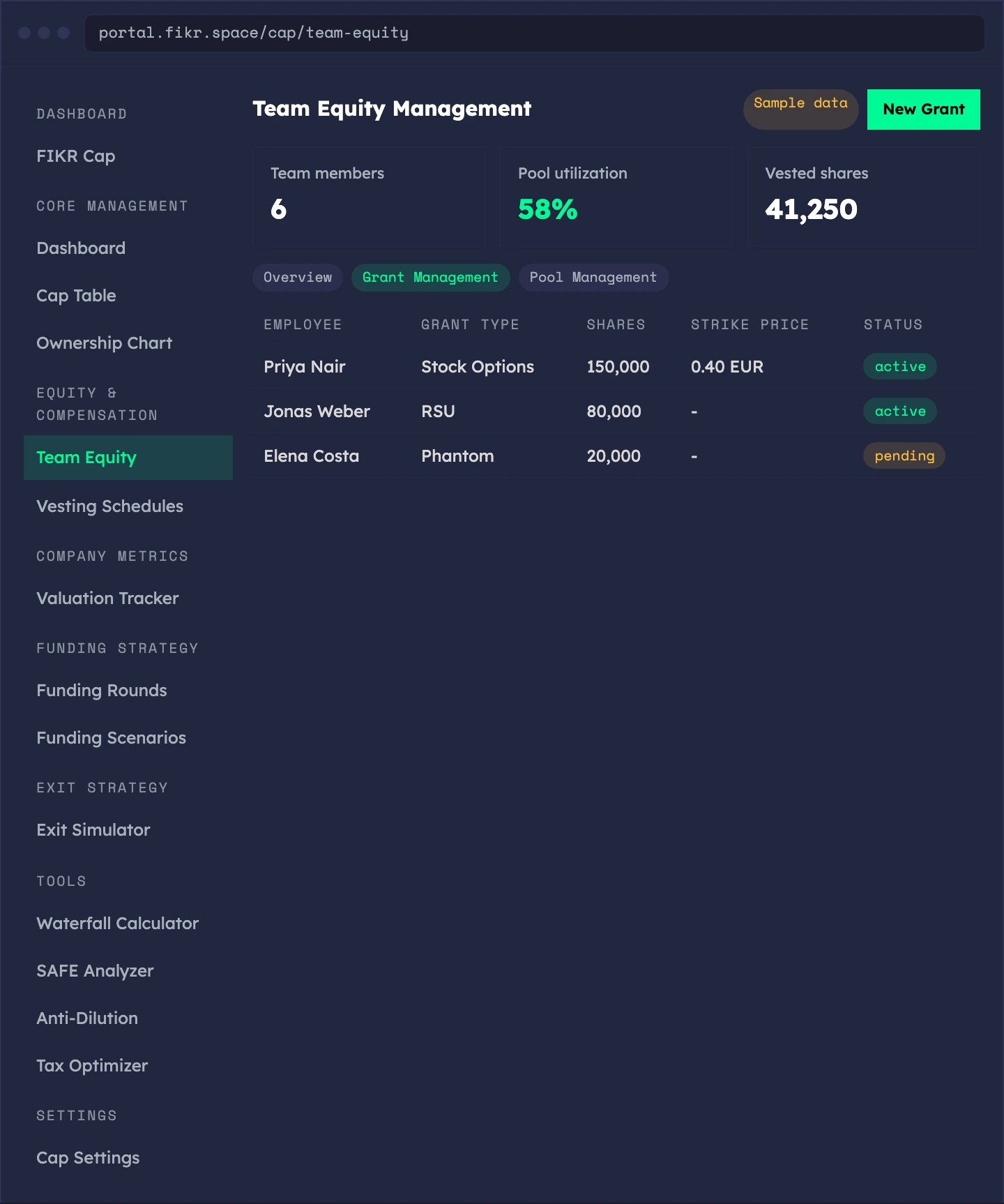
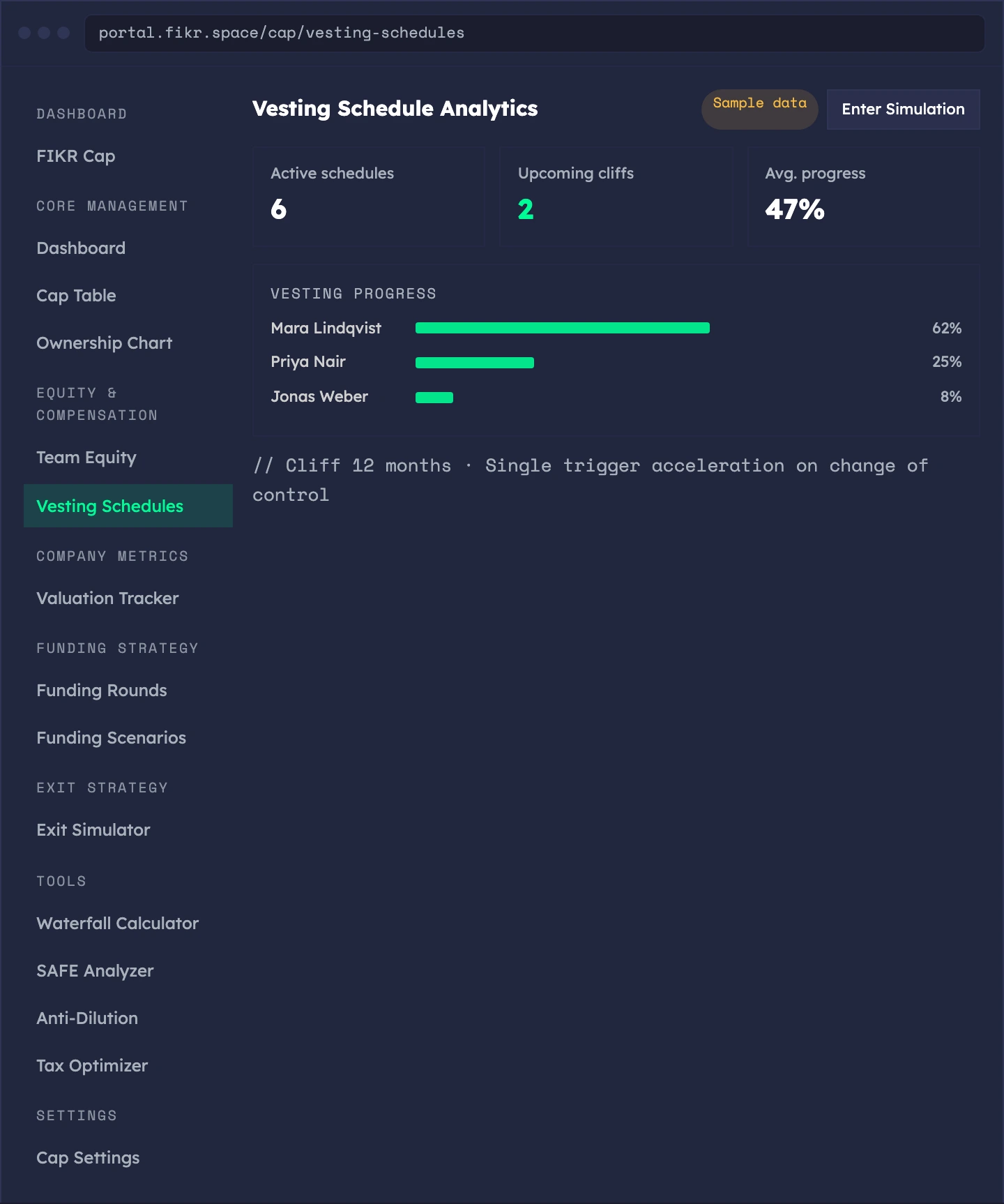
Give equity to your team, set how it vests and watch the option pool. Cliffs, schedules and acceleration are tracked for every holding.
- Grants — stock options, RSUs, common shares and phantom equity
- Option pool — see what is granted and what is left
- Vesting schedules — templates or a custom schedule with a cliff
- Acceleration — single trigger and double trigger options
- Vesting simulation — view progress as of any date
- Unvested holdings cannot be transferred — the system refuses the transfer until the holding is fully vested
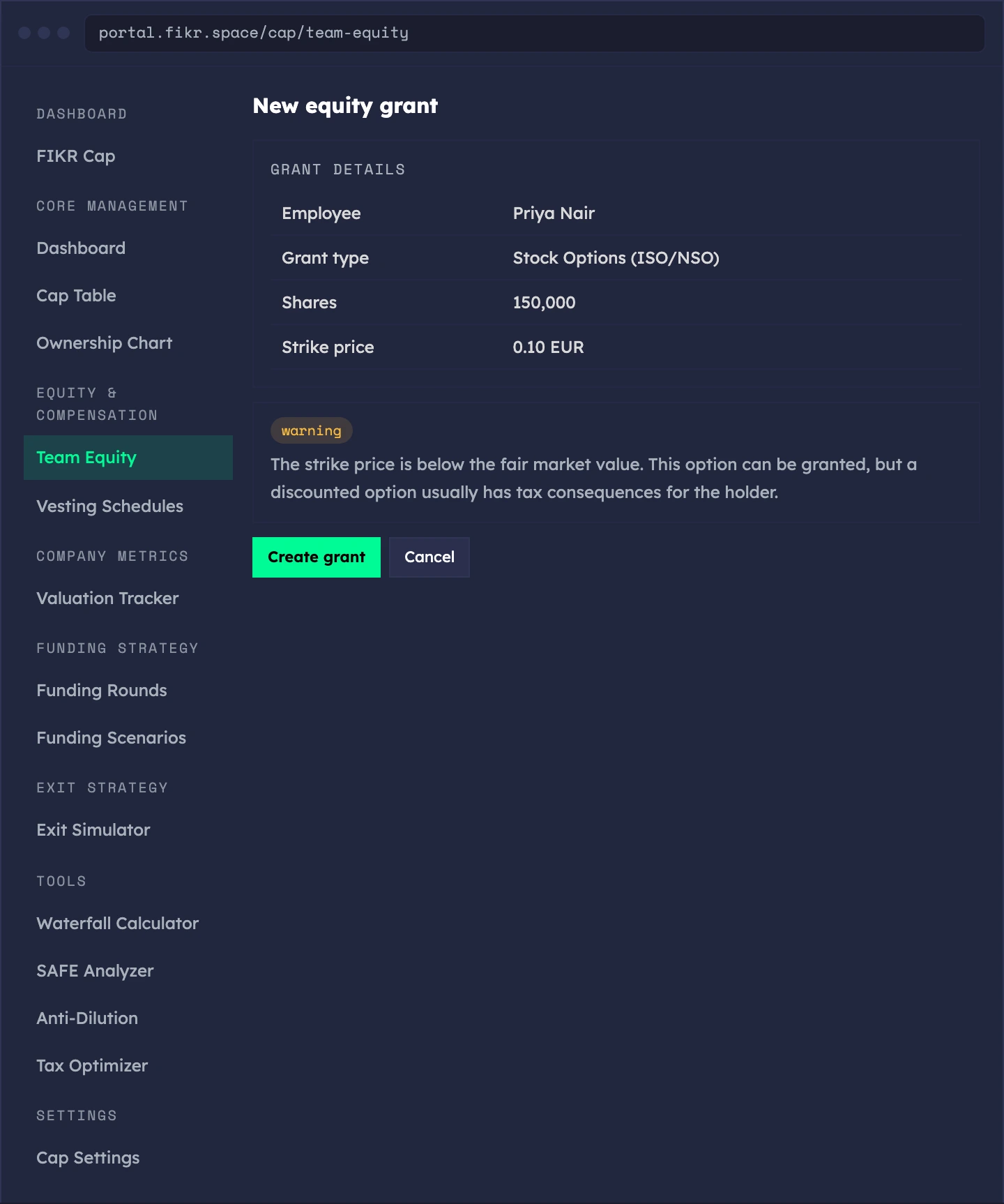
- Options below fair market value — allowed, with a clear tax warning
Sample data. The screens show a demo workspace.
Close a round and the shares follow.
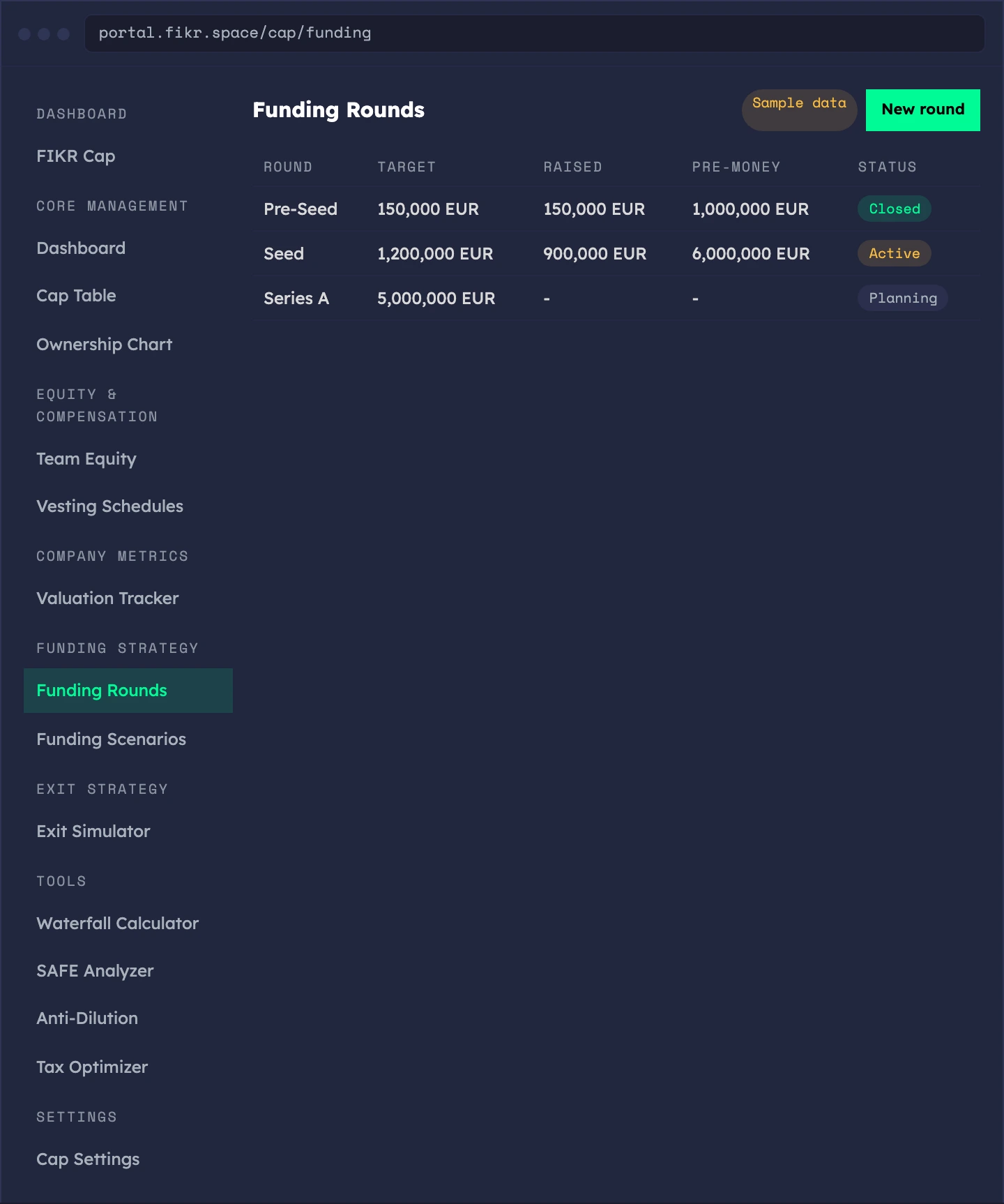
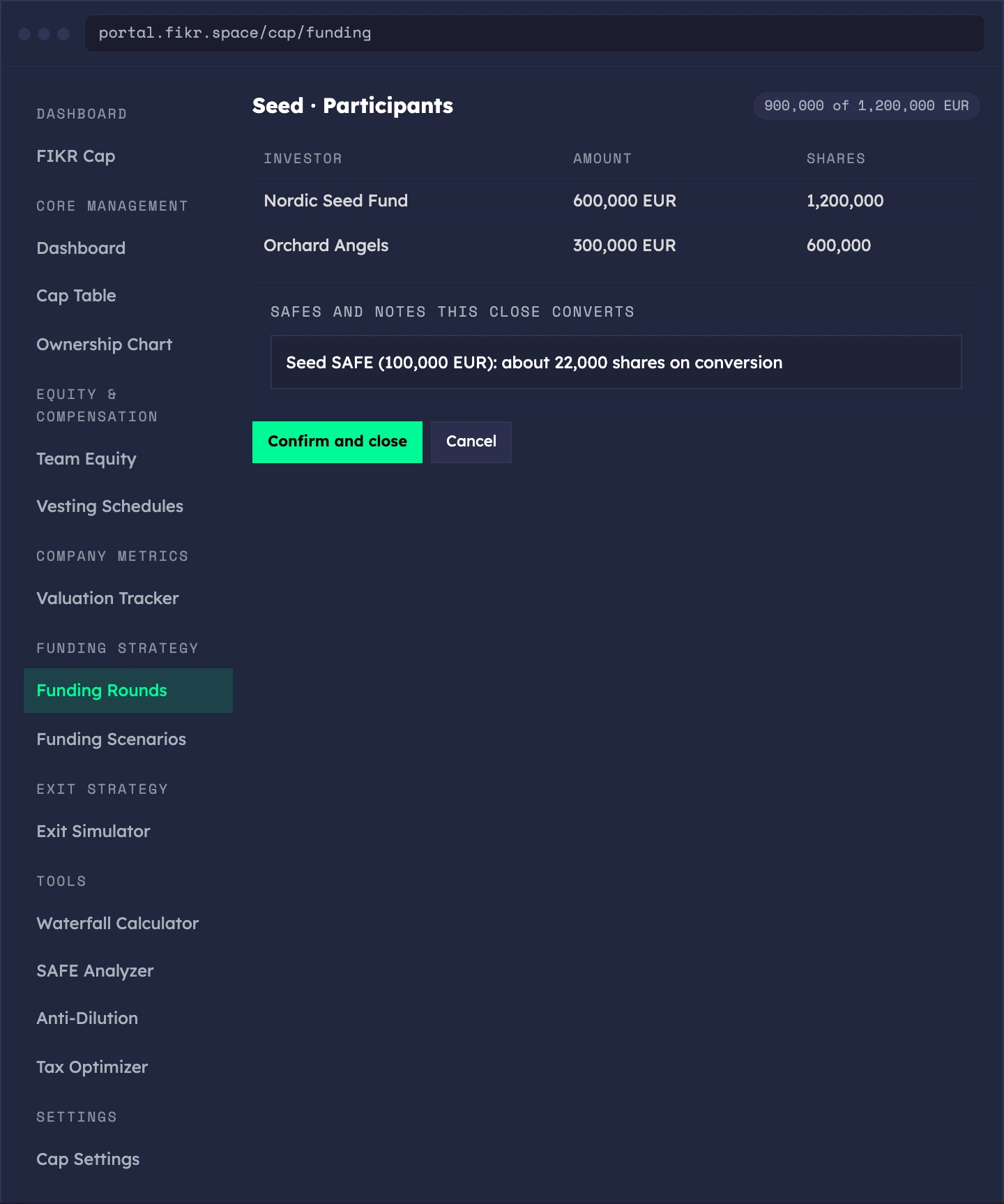
Plan a round, add the investors, then close it. Closing issues their holdings and marks the SAFEs and notes it converts.
- Rounds — Pre-Seed to Series D, bridge, SAFE, convertible note and more
- Participants — amount or shares, with price per share
- Checks before closing — authorized shares, share class and inactive investors
- SAFE and note conversion — shown before you confirm the close
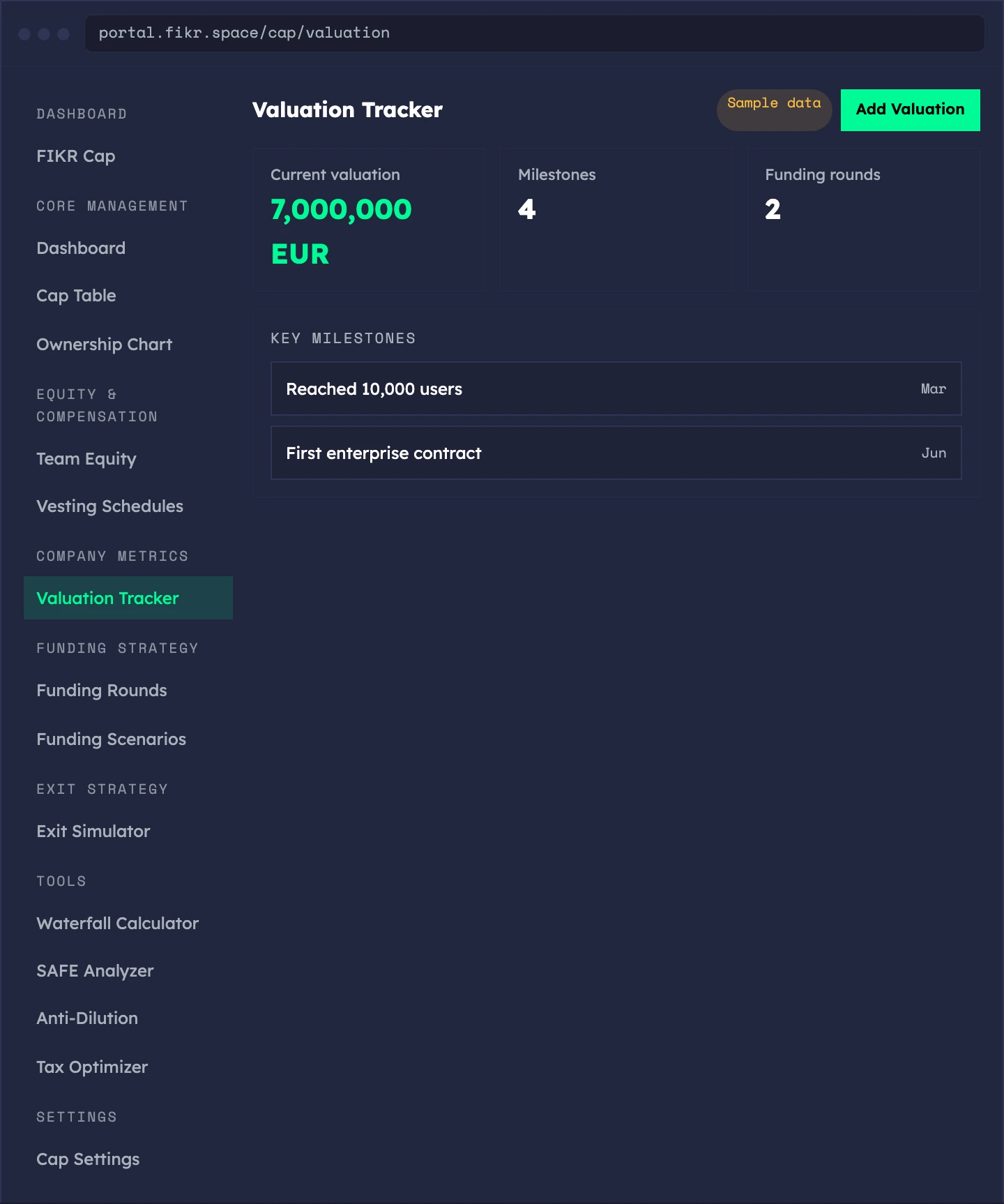
- Valuation tracker — record valuations and milestones over time
- Rounds CSV — export your round history
Sample data. The screens show a demo workspace.
Model the round before you sign it.
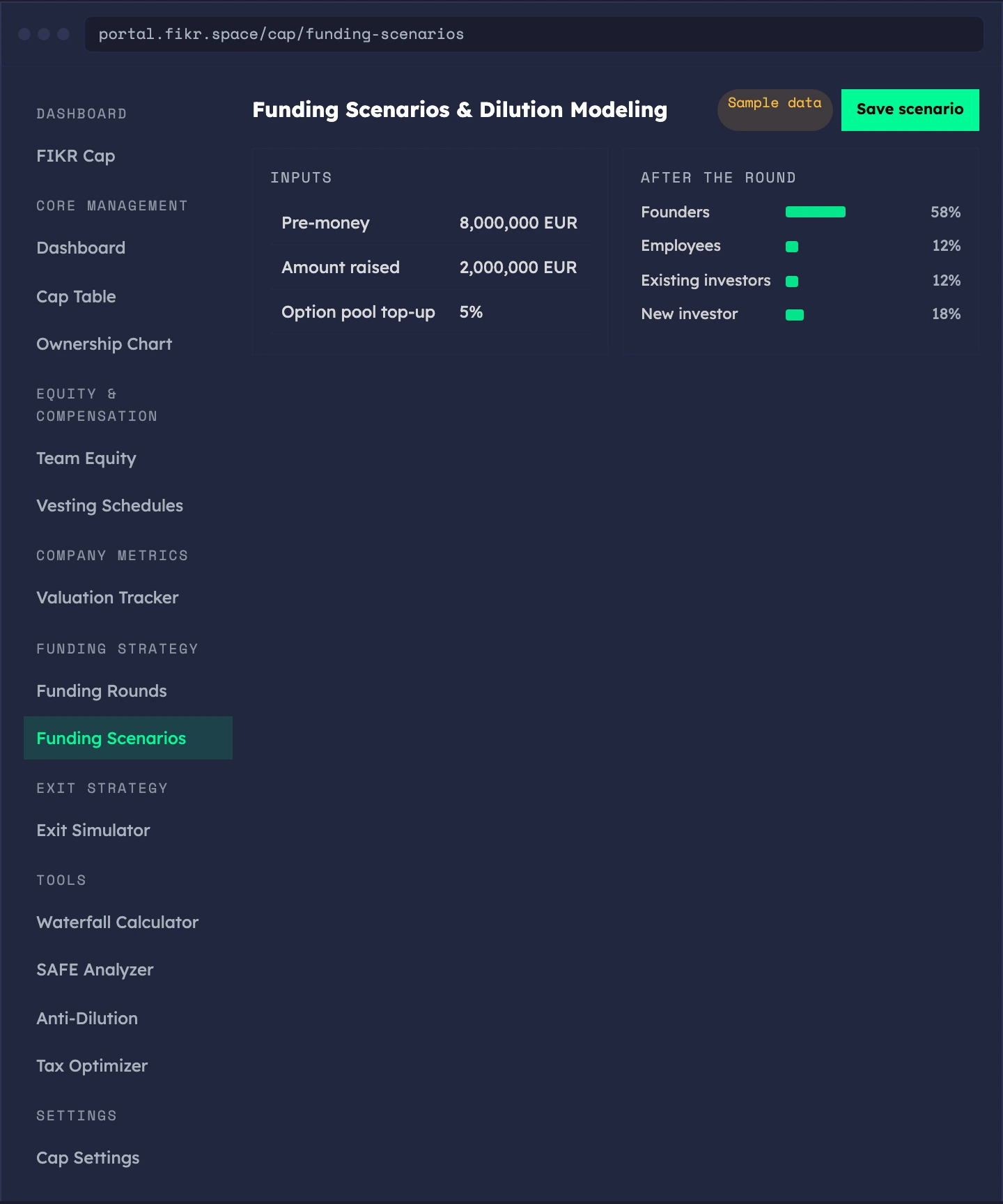
Put a valuation and an amount into the model and see what founders, employees and the new investor hold afterwards. Then see who gets what at an exit.
- Funding scenarios — pre-money, amount raised and option pool top-up
- Saved scenarios — name your inputs and load them later
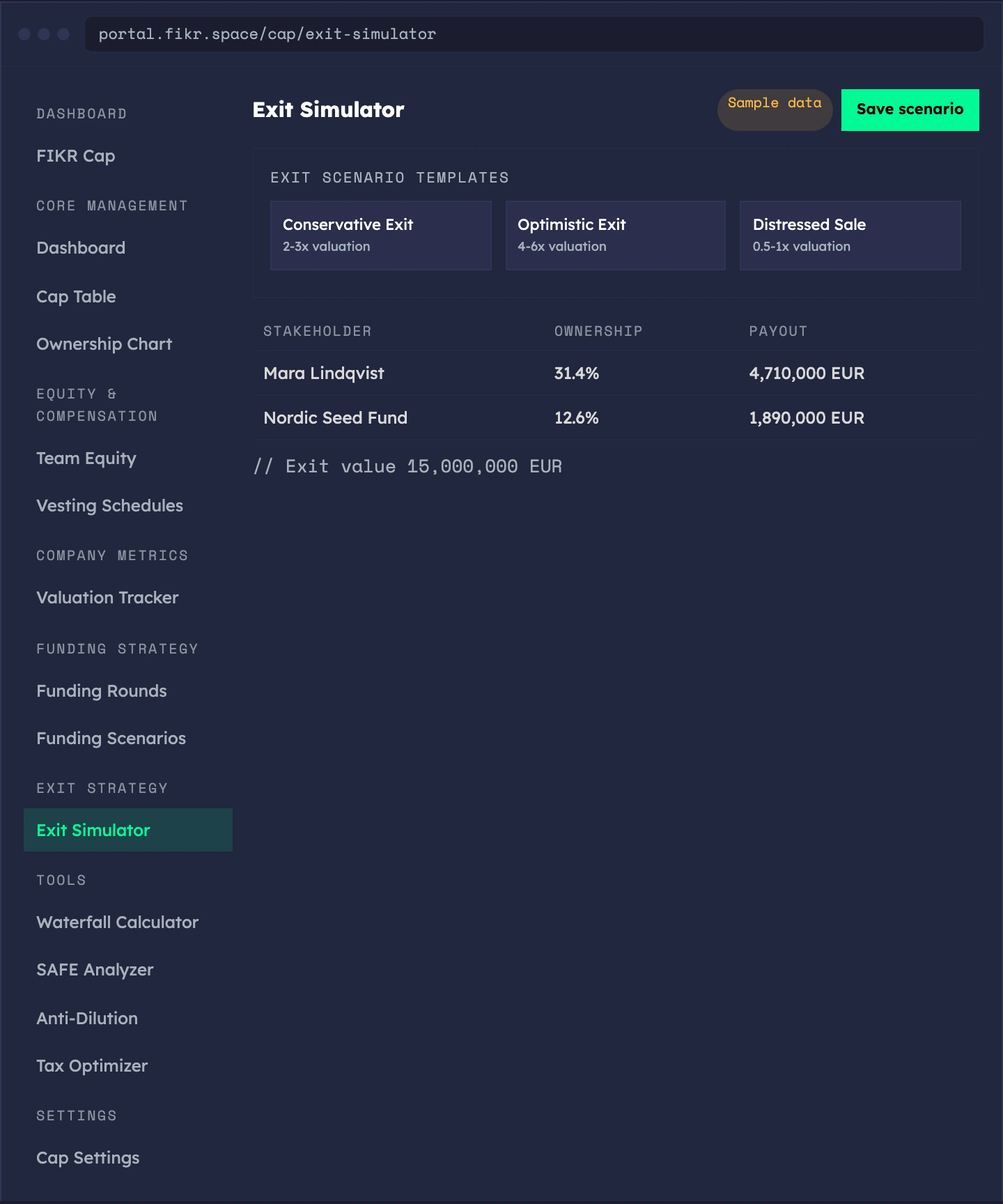
- Exit simulator — start from a template and set your own exit value
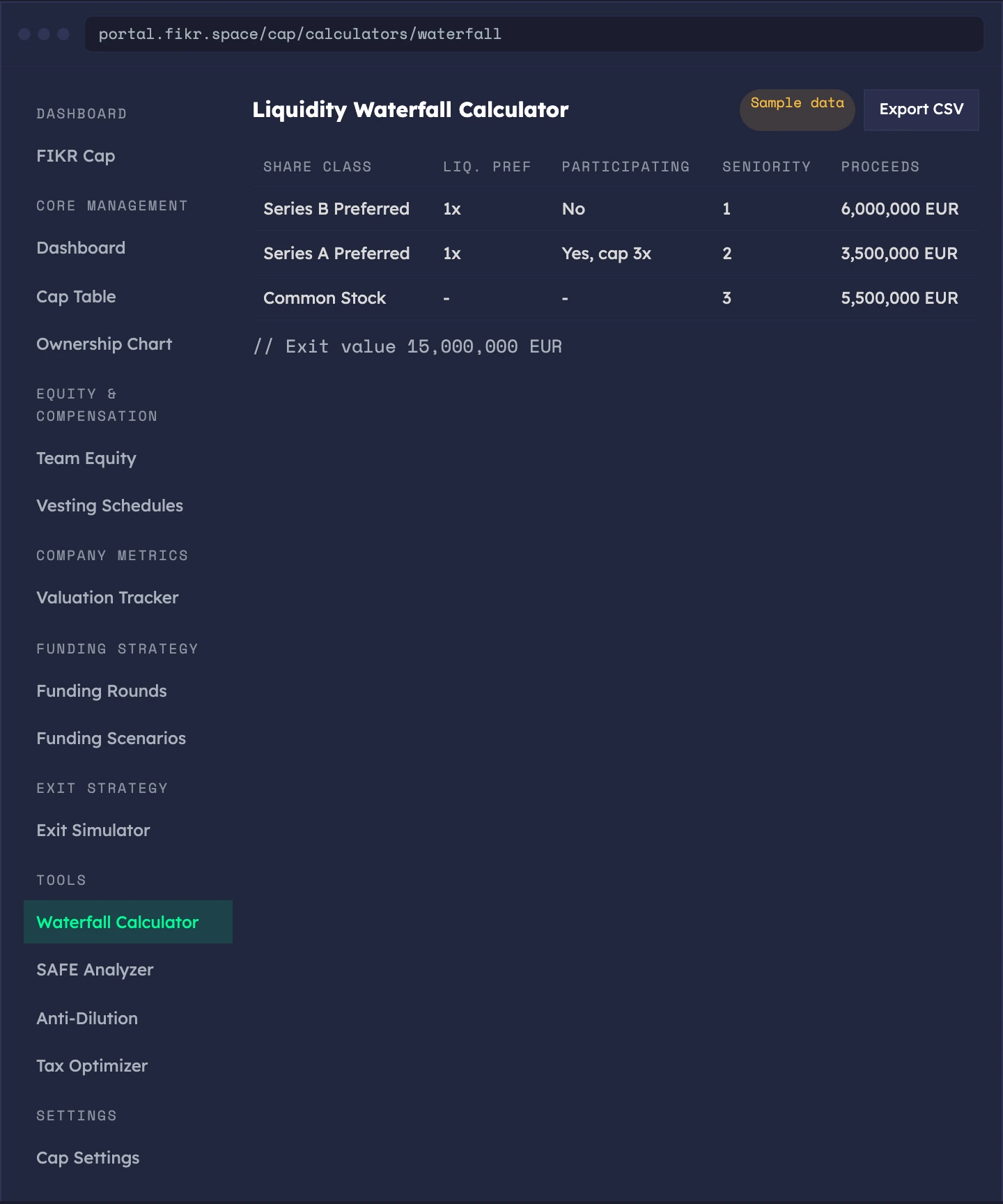
- Liquidation waterfall — preferences, participation, caps and seniority per class
- Waterfall CSV — export the distribution
Sample data. The screens show a demo workspace.
Work out the hard clauses.
Calculators for the terms that confuse founders. You type in the numbers, they show the arithmetic.
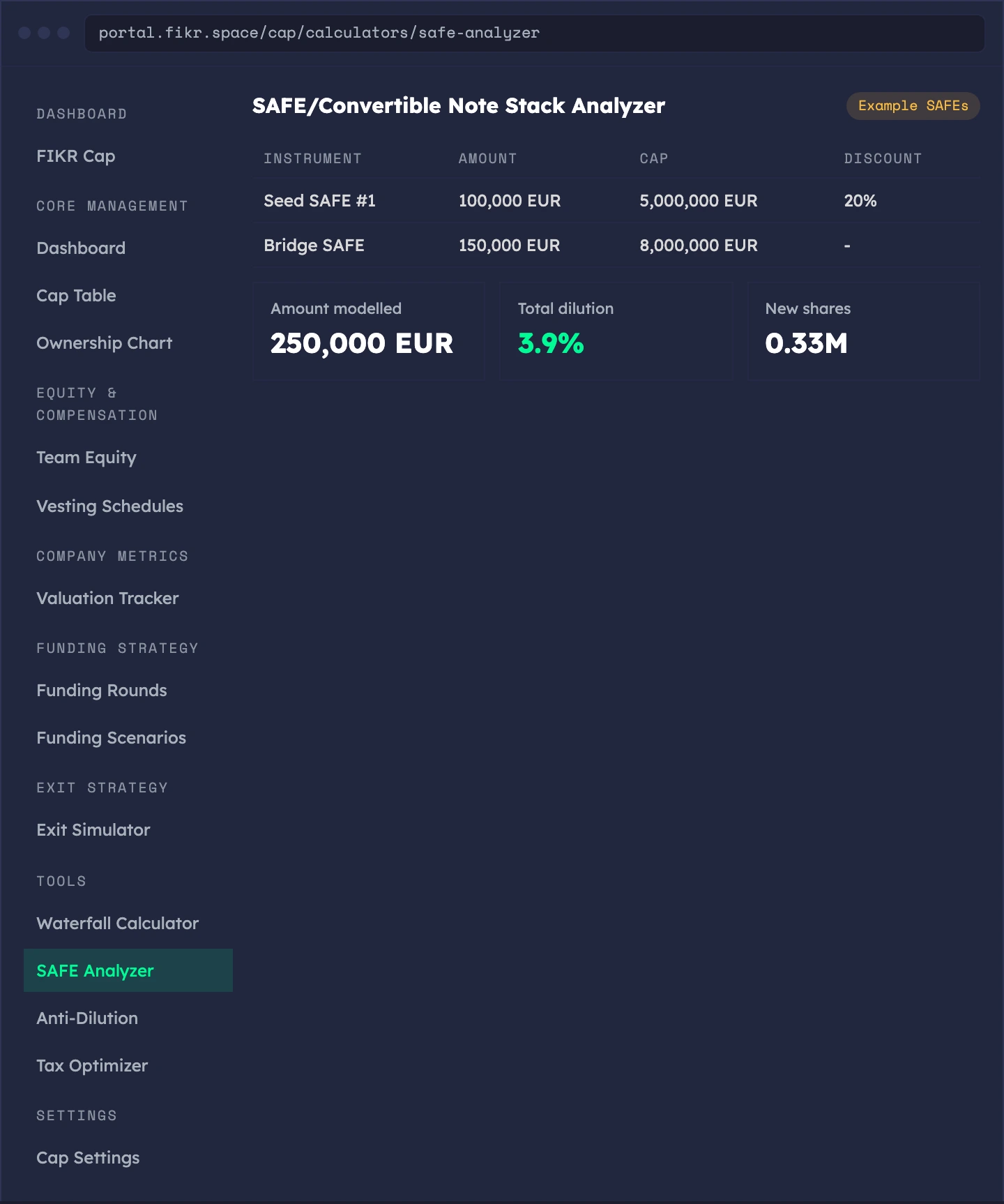
- SAFE and note analyzer — how a stack of SAFEs and notes converts
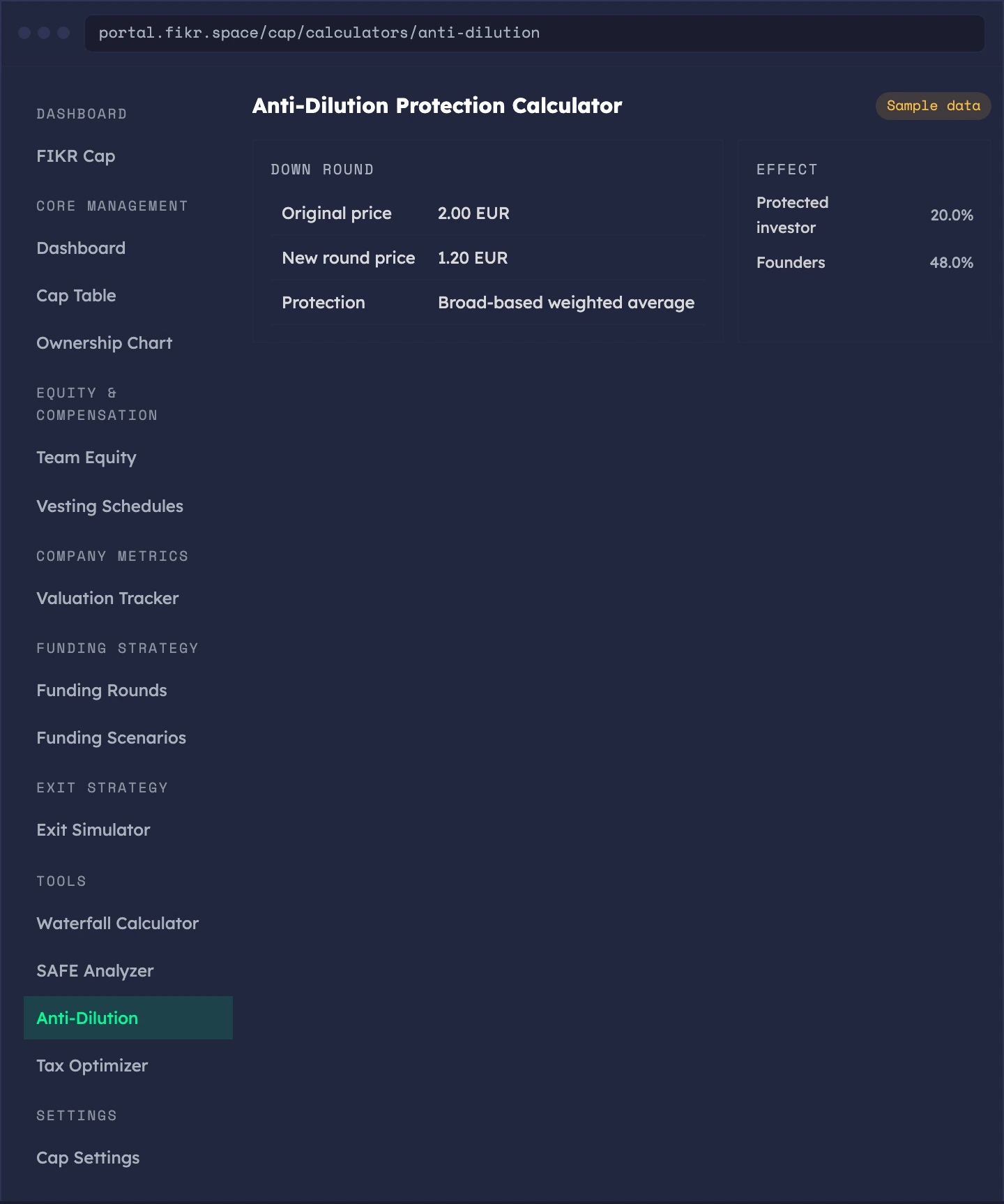
- Anti-dilution — the effect of down-round protection on ownership
- Tax simulator — estimates for option exercises, stock sales and more
- Currency of your cap table — figures follow the currency you set, with no conversion
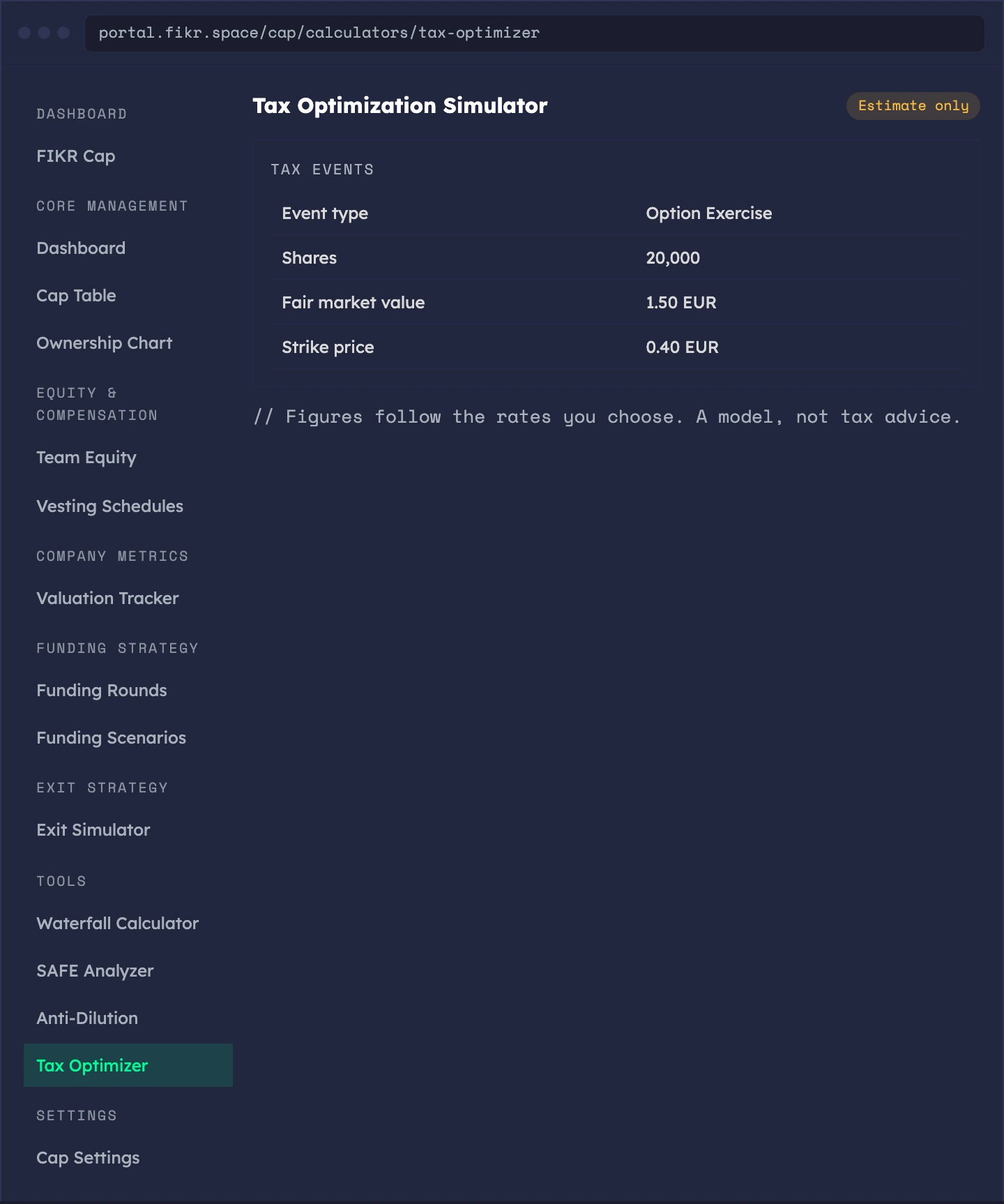
Sample data. The screens show a demo workspace.
Your team sees their own equity.
Each person with a grant opens their own page: shares, grants, vesting progress and a simulated payout at an exit value they choose.
- Holdings and grants — what they own and what is still vesting
- Vesting progress — vested, unvested and the next milestones
- Simulated payout — an estimate at an exit valuation they enter
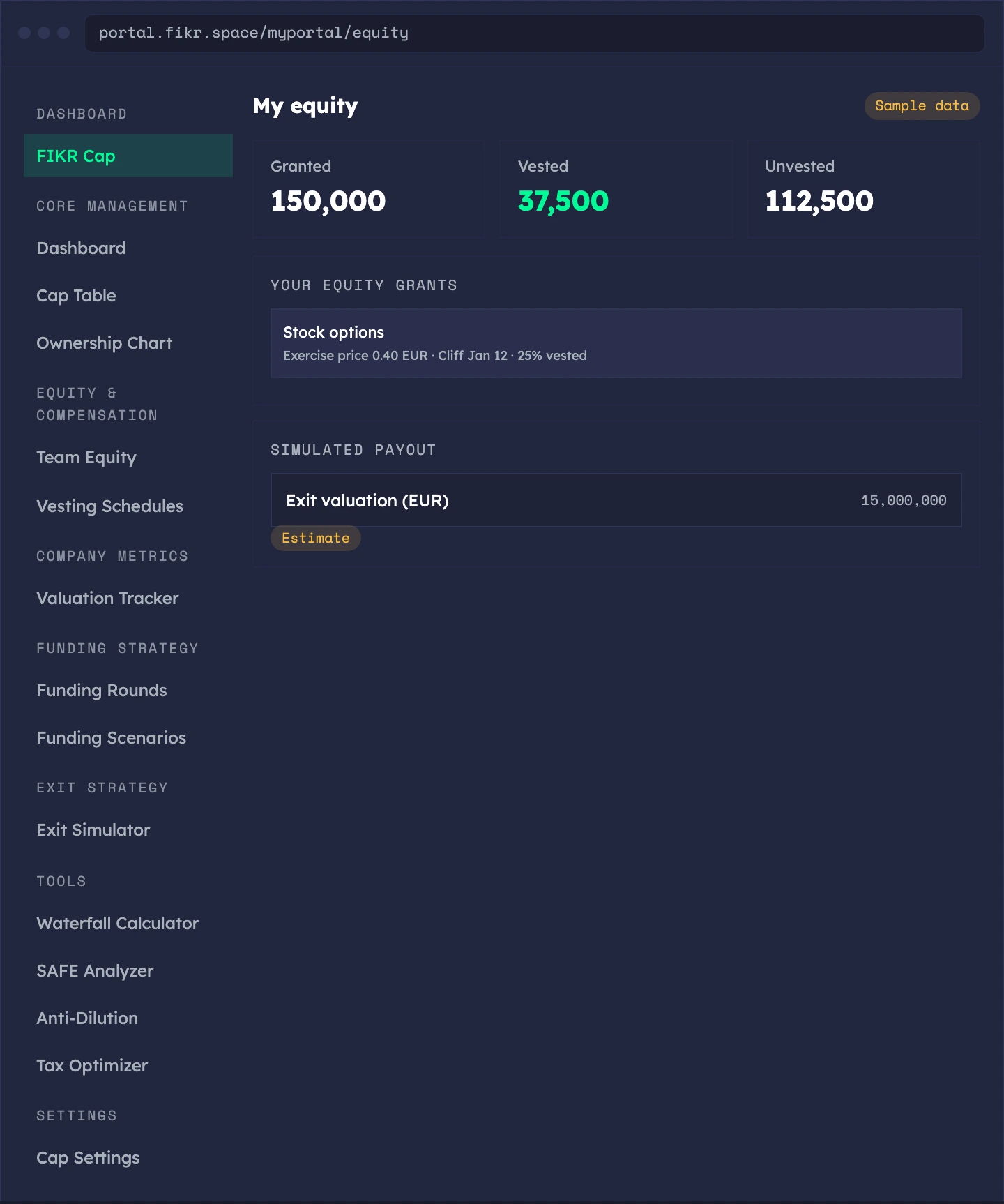
Sample data. The screens show a demo workspace.
Set the rules once.
Currency, authorized shares, the option pool, share classes and vesting templates are set per cap table.
- Currency per cap table — chosen in onboarding, editable in settings, no conversion
- Authorized shares — issuing more than authorized is refused
- Option pool — size it and see how much is used
- Share classes — liquidation preference, participation and rights such as drag-along and tag-along
- Vesting templates — durations, cliffs and acceleration rules
- Onboarding — a short wizard creates your first cap table
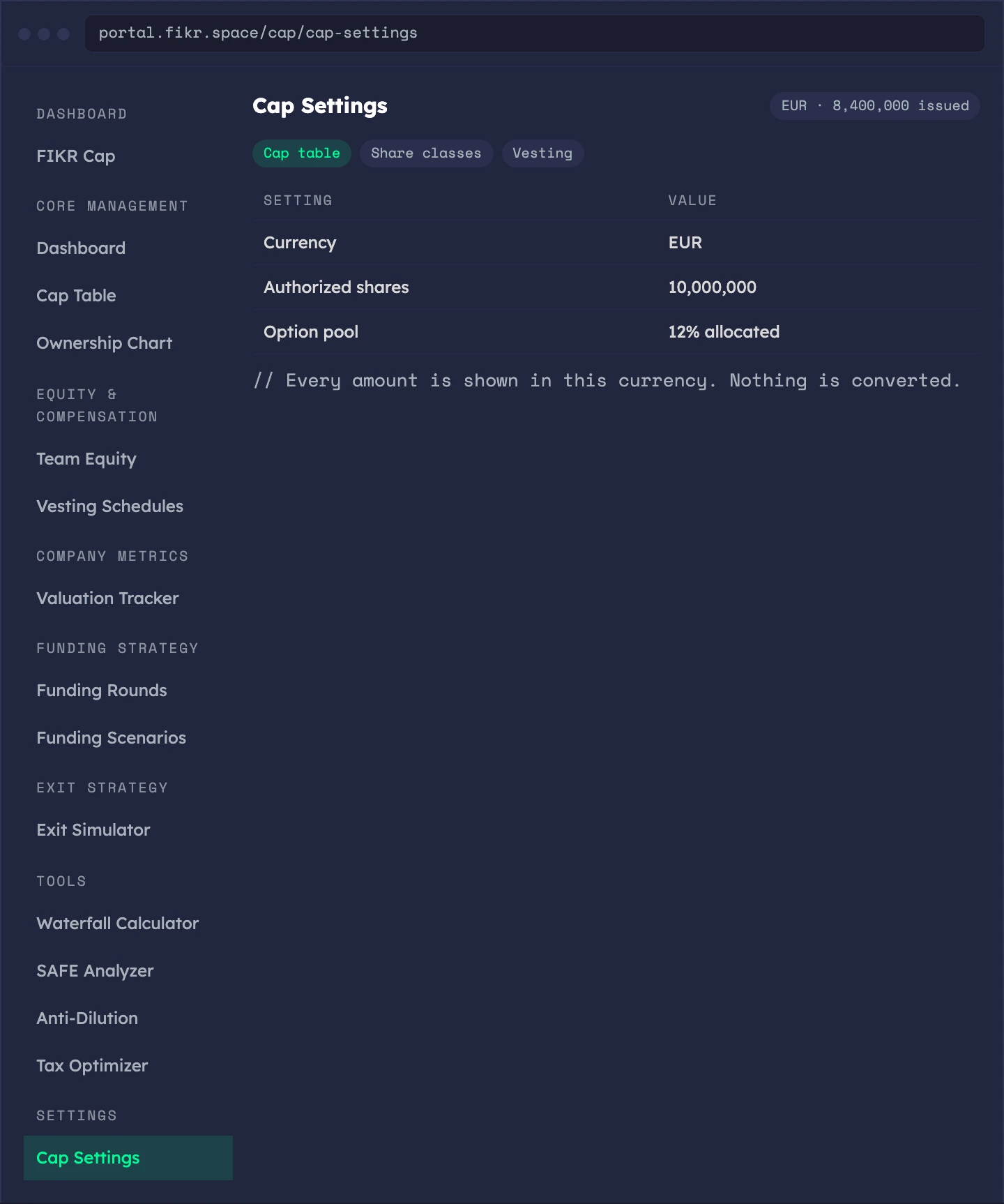
Sample data. The screens show a demo workspace.
Equity that stays connected.
Every step uses the same cap table, so a round you close is the cap table you model next.
Set up
Grant
Raise
Model
What founders use it for.
The product is the same for everyone. What changes is the job you hire it for.
Keep one source of truth
Hand out equity
Prepare the next round
Questions? Answers.
What is live and what is coming soon?
Is FIKR Cap for startups and service companies?
Is this legal or tax advice?
Which currency does it use?
What happens with unvested shares and options below fair market value?
Know your cap table.
Plan the next round.
One place for who owns what, who vests what and what a round or an exit changes. Join the waiting list and we open your workspace as soon as your place comes up.
Join the Waiting List →Your story is alive. Now run the rest.
FIKR Content is your publishing engine. The full platform runs your entire startup — strategy, sales, equity, finance, HR, fundraising — all connected.